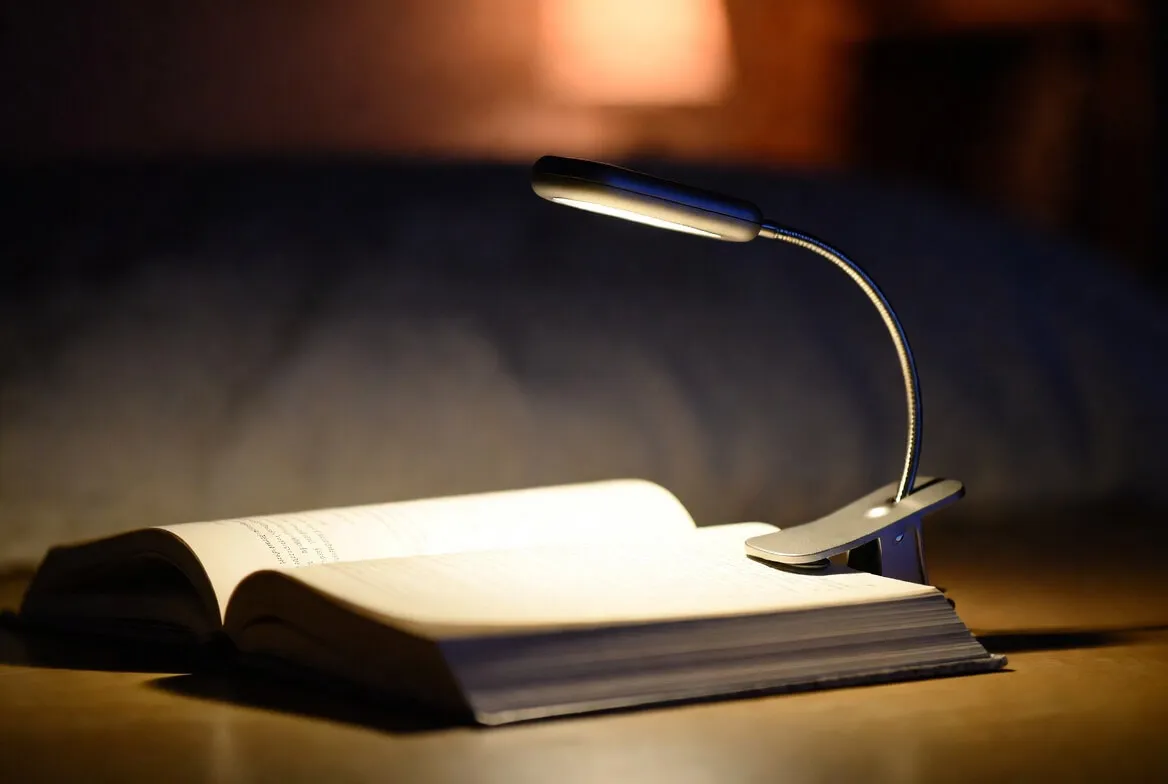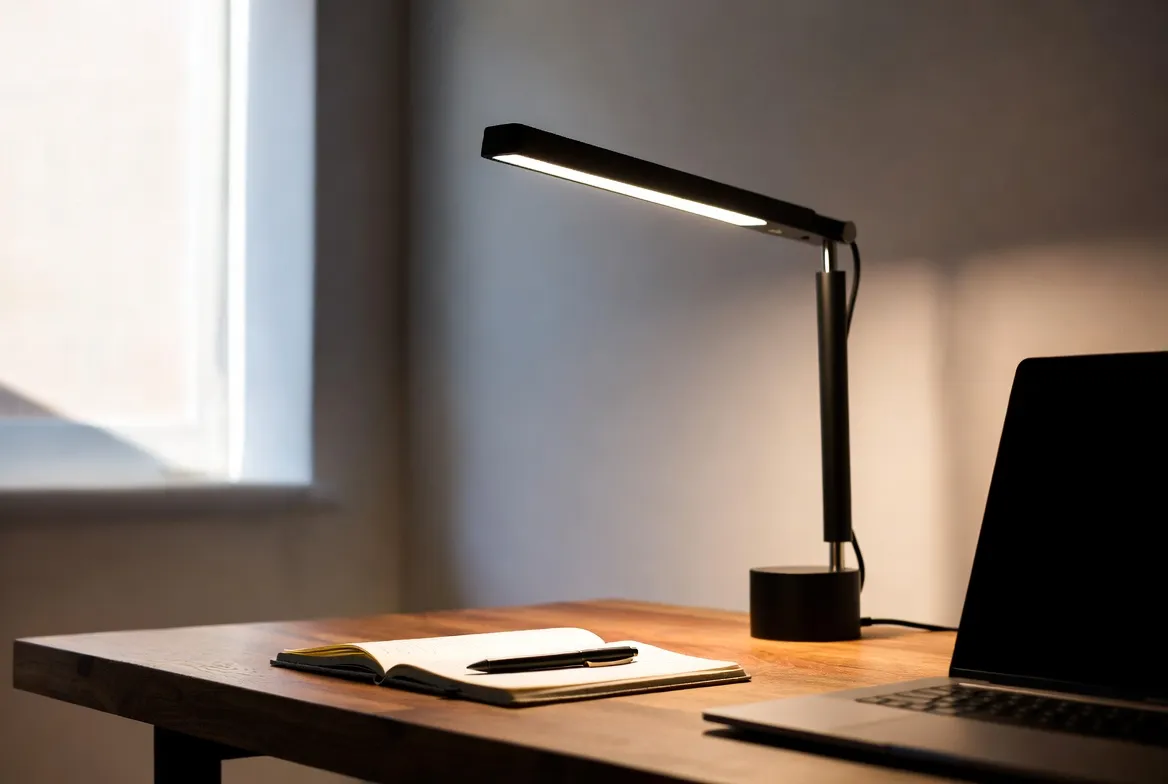
The right LED desk light replaces an entire shelf of old halogen, fluorescent, and incandescent lamps - giving you one fixture that takes you from morning email through late-night reading, slashes your power bill, and runs cool enough to sit inches from your hands for hours. We spent weeks comparing the top-rated LED desk lights on Amazon - evaluating brightness, color temperature range, flicker-free performance, build quality, and real-world value - so you can pick the one that fits your desk and your budget.
Light | Best For | Power | Output | Color Temp | Price | |
|---|---|---|---|---|---|---|
BenQ ScreenBar | Best for Monitor Use | 5W (USB-A) | 500 lux | 2700K-6500K | ~$109 | |
Lepro 9.5W Metal Lamp | Best Overall Value | 9.5W | 750 lm | 5 Modes (Warm-Cool) | ~$20 | |
Dyson Solarcycle Morph | Best Premium | 26W | 850 lm | 2700K-6500K | ~$650 | |
BenQ ScreenBar Halo 2 | Best Backlight Bar | USB-C | Stepless | 2700K-6500K | ~$199 | |
ELEOPTION Swing Arm Lamp | Best Architect Style | USB Powered | 3 Levels | Single Mode | ~$45 |
BenQ ScreenBar
Pick #1 - Best for Monitor Use
5W USB-A | 500 lux at 60×30cm | 2700K-6500K | Auto-Dimming Sensor | CRI >95 | 17-Year Tested Lifespan
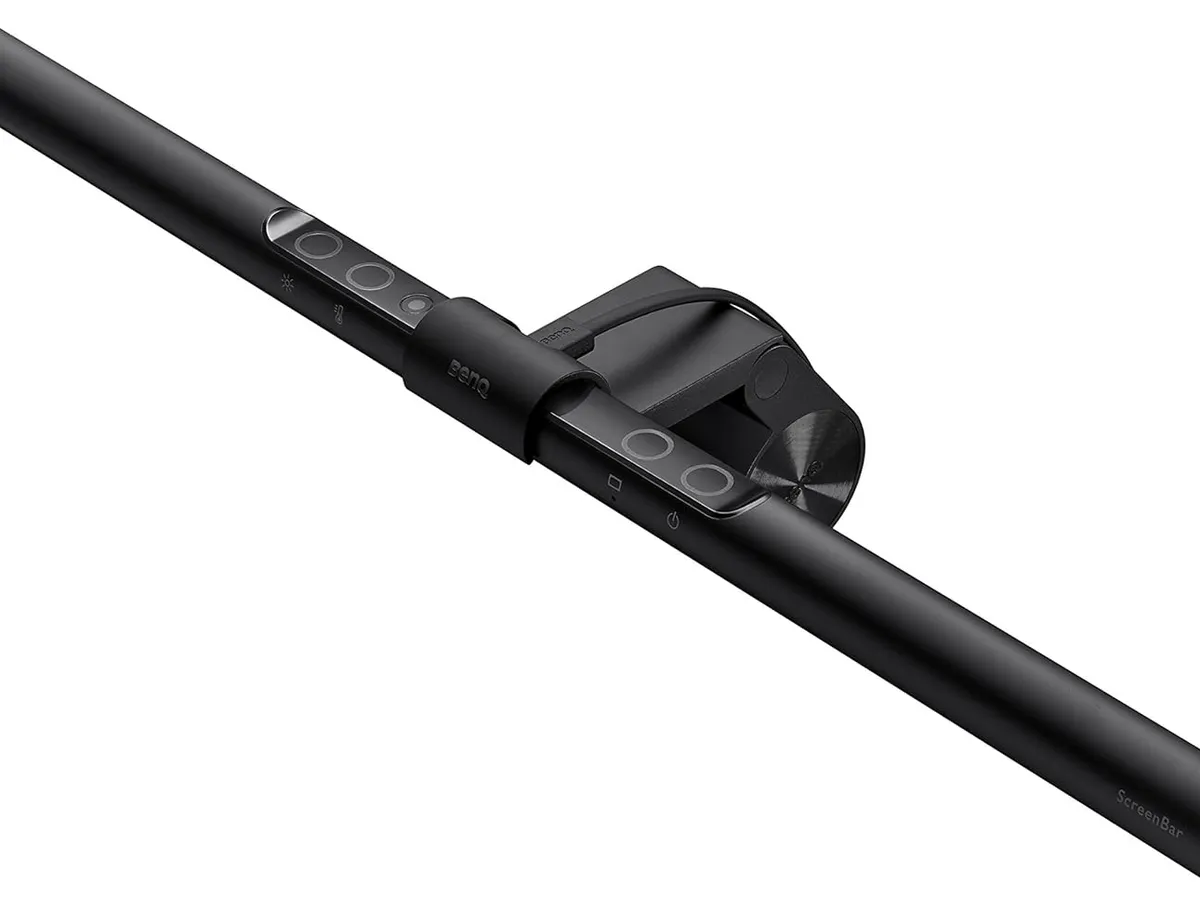
The BenQ ScreenBar is the most well-engineered monitor light bar on the market and the right pick for anyone whose desk is dominated by a computer. It mounts directly on top of your monitor with a patented counterweight clamp - no clamping force on the screen, no risk of damage - freeing the entire desk surface from a traditional lamp's footprint. The ASYM-Light asymmetric optics direct illumination downward onto your desk and keyboard while keeping every photon off the monitor itself, eliminating the screen glare that conventional desk lamps create when positioned anywhere near a display.
The standout feature is the auto-dimming sensor. A built-in light meter reads ambient brightness and adjusts the lamp's output in real time to maintain a consistent 500 lux on the work surface, so the light stays comfortable as morning becomes afternoon becomes evening without you touching anything. Touch controls let you override the auto mode, dial color temperature anywhere from 2700K (warm) to 6500K (cool), and step brightness up or down. The lamp is USB-A powered and pulls juice straight from your monitor - no wall adapter, no extra cable to manage.
Why It's Famous: The Light Bar That Started the Category
For around $109, the ScreenBar gives you the original ASYM-Light optics that defined the monitor light bar category. CRI >95 means colors render accurately for design, photo, and proofing work. Flicker-free LED with anti-blue-light-hazard certification means no perceptible flicker and reduced eye fatigue during long sessions. The patented clamp fits monitors 0.4"-1.2" thick, including most curved monitors at 1500R or above, and the 17-year tested lifespan at 8 hours of daily use means you'll likely replace the monitor before the lamp.
The trade-off is that the ScreenBar is built specifically for computer work - if your desk is dominated by paper, books, or hands-on craft, a traditional lamp with a flexible arm is a better fit. The clamp also requires a fairly standard flat-top monitor; very thick or unusually shaped bezels may cause fitment issues. There's no battery option either, but since it draws from the monitor's USB port, that's rarely a problem in practice.
Pros | Cons |
|---|---|
Frees 100% of desk surface - clamp mounts on monitor | Built for computer work; less useful for paper-heavy desks |
ASYM-Light optics fully eliminate screen glare | Requires a compatible monitor (0.4"-1.2" thick, mostly flat-back) |
Auto-dimming sensor maintains 500 lux automatically | Pricier than basic desk lamps |
2700K-6500K range with stepless touch control | |
CRI >95 for accurate color rendering | |
USB-A powered - no extra outlet needed |
Lepro 9.5W Metal LED Desk Lamp
Pick #2 - Best Overall Value
9.5W | 750 Lumens | 5 Color Modes × 5 Brightness Levels = 25 Settings | Touch Control | Metal Body | Forbes Vetted Pick
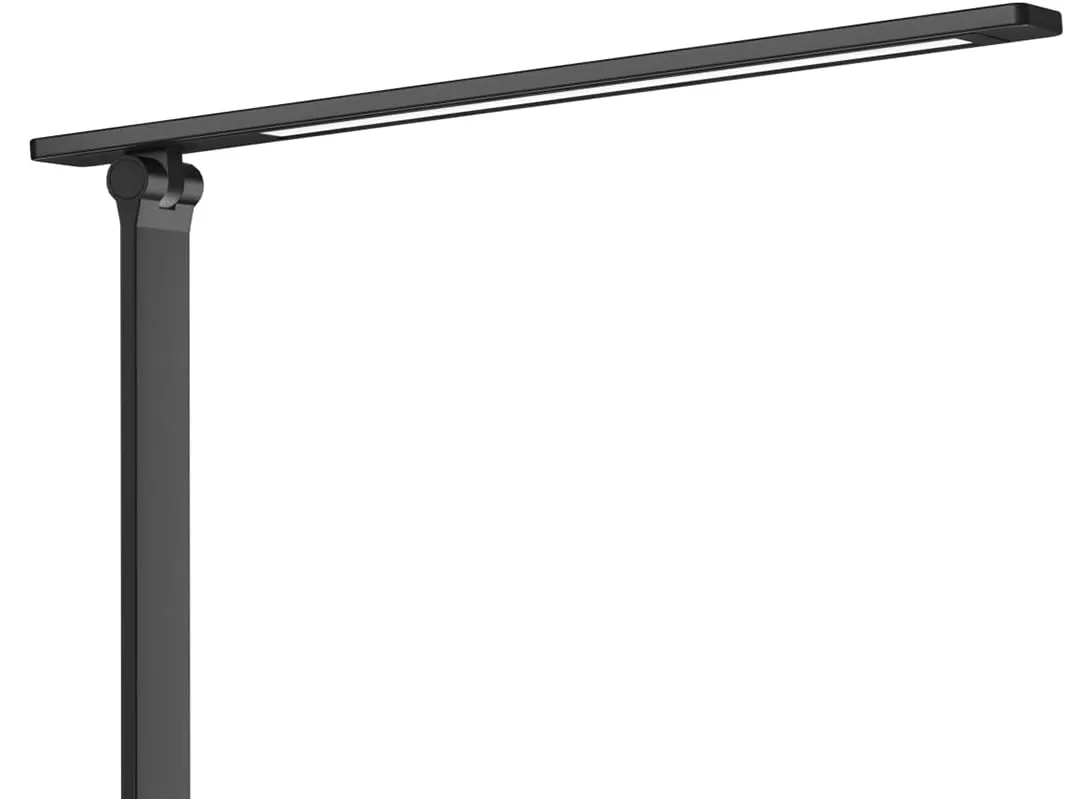
The Lepro 9.5W metal task lamp is the cleanest, most reliable budget desk lamp on Amazon - the fixture we'd hand to anyone who just wants a great LED desk light without spending $100+. It draws 9.5 watts to deliver 750 lumens (comfortably bright for a typical desk setup) and offers 25 distinct light combinations through 5 color modes - warm to cool white - paired with 5 brightness levels per mode. The shade is frosted and the head is long enough to spread soft, even light across a wide work zone, eliminating the harsh hotspot cheap lamps produce.
What makes the Lepro stand out at this price is build quality. The body is metal, not plastic, and the matte/lacquered finish doesn't peel or fade like budget lamps tend to do within a year. The arm bends and the head pivots, so you can focus light exactly where you need it - over a keyboard, onto a notebook, or angled toward the wall behind your monitor for indirect ambient lighting. Touch controls on the base handle on/off, brightness, and color temperature without mechanical switches that wear out.
Why It's Famous: Forbes Vetted's Pick at a Tenth the Premium Price
For around $20, the Lepro delivers what desk lamps used to charge $50-$80 for: real metal construction, full CCT adjustability, multi-level dimming, flicker-free LED, and a sun-like white spectrum that makes document inspection easy in actual colors. It's a multi-year Amazon's Choice and a Forbes Vetted "Best Task Lamp" recipient, with nearly 8,000 ratings averaging 4.7 stars and over 1,000 units sold per month. The energy draw is roughly 75% lower than an equivalent incandescent, and it doesn't heat up enough to feel warm even after hours of use.
The trade-off is the absence of premium features. There's no app, no scheduling, no USB charging port, and no auto-dimming sensor. For most home users running a single desk, none of those things actually matter - you turn the dial up when you need brightness and down when you don't. But if you want USB pass-through charging or smart scheduling, you'll need to step up the price tier to a higher-end task lamp.
Pros | Cons |
|---|---|
Aggressive price (~$20) for genuinely good build | No USB charging port |
Metal body, matte/lacquered finish that doesn't peel | No app, scheduling, or auto-dimming |
25 light combinations via 5 modes × 5 brightness levels | Wall-adapter only (no battery option) |
Frosted shade + long head for even, glare-free spread | |
Touch controls hold up better than mechanical switches | |
4.7-star average from nearly 8,000 reviews |
Dyson Solarcycle Morph
Pick #3 - Best Premium
26W | 850 lm | 2700K-6500K | 60-Year LED Lifespan | MyDyson App + Daylight Tracking | Heat Pipe Cooling | 4 Modes
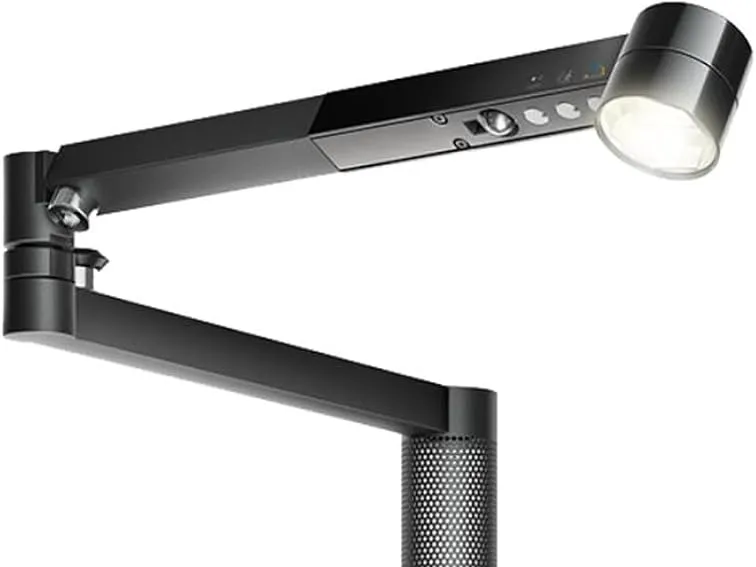
The Dyson Solarcycle Morph (the renamed and refreshed Lightcycle Morph) is the desk lamp you buy when you want the best - period. It uses Heat Pipe thermal management borrowed from Dyson's fan technology to cool the LED array, dropping operating temperature enough to keep the diodes producing consistent color and brightness for a tested 60 years of 8-hour daily use. The MyDyson app continuously tracks local daylight and adjusts color temperature and brightness to mimic the sun's natural arc through the day - supporting healthy circadian rhythm and reducing eye strain on long work sessions.
The "Morph" in the name refers to its physical transformability. The 3-Point Revolve Motion lets you pivot at the stem, elbow, and head, while a magnetic touch-glide dock lets the optical head detach and snap to the column for indirect uplighting or ambient feature lighting. One fixture covers four lighting roles: Task (focused work light), Indirect (eye-relief glow), Feature (highlighting an object or area), and Ambient (soft room light). Personalize it through the app for your age - older eyes need up to 4× more light - your task, and your local time zone.
Why It's Famous: 60-Year LEDs and Daylight-Aware Color Tuning
For around $650, the Solarcycle Morph delivers what no other desk lamp on the market offers: a 60-year LED lifespan, intelligent daylight tracking, and four lighting modes in one fixture. The build quality is unmistakably Dyson - the moment you unbox it, you can feel why it costs what it costs. CRI exceeds 90, glare control is best-in-class, and the optical flicker is low enough that sensitive users (migraine sufferers, fluorescent-light-intolerant readers) report dramatic comfort improvements over standard task lamps.
The catch is the price. $650 is more than 30× the Lepro and 6× the BenQ ScreenBar - and a lot of what you're paying for is industrial design and decade-out longevity rather than day-one performance. Some buyers also report that occasional units arrive with missing parts or minor defects, so we'd recommend ordering through a seller with a clean returns policy. For design-conscious professionals who plan to keep the lamp for the rest of their working life, none of that disqualifies it. For most home users, it's overkill.
Pros | Cons |
|---|---|
60-year LED lifespan via Heat Pipe cooling technology | Most expensive option on this list at ~$650 |
MyDyson app personalizes light for time, age, and task | App setup has a learning curve |
4 lighting modes in one fixture (Task, Indirect, Feature, Ambient) | Some units reportedly arrive with missing parts or defects |
3-Point Revolve Motion for precise positioning | Bluetooth only (no Wi-Fi or smart-home integration) |
Daylight tracking adjusts color temperature automatically | |
Best-in-class glare control and low optical flicker |
BenQ ScreenBar Halo 2
Pick #4 - Best Backlight Monitor Bar
USB-C | Wireless Dial Controller | Backlight + Front Light | 2700K-6500K | Motion Sensor | Auto-Dimming | Curved Monitor Compatible | 50,000+ Hour LED Life
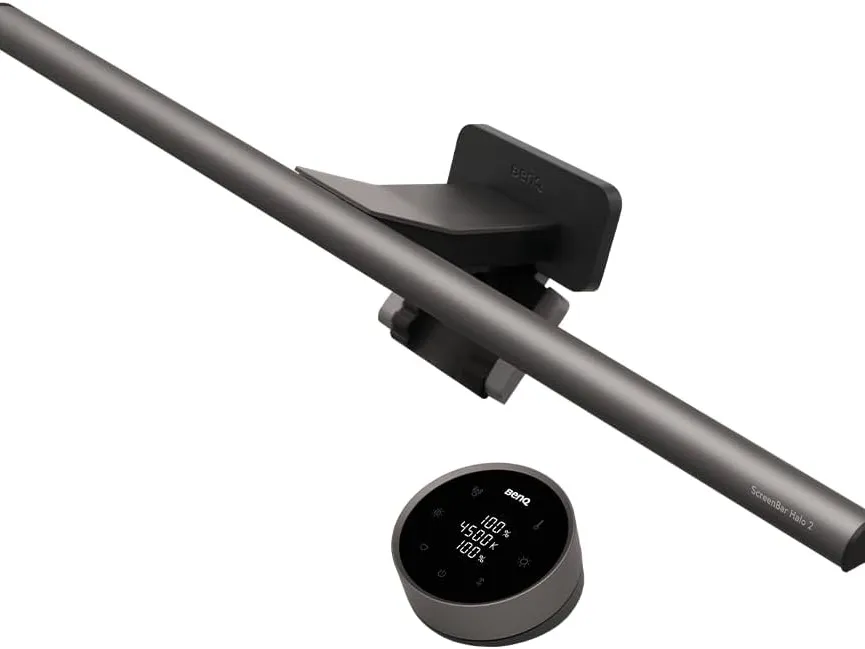
The BenQ ScreenBar Halo 2 is the upgraded monitor light bar for users who work in dim rooms or do extended after-dark sessions. Like the standard ScreenBar, it uses BenQ's ASYM-Light front optics with an 18° anti-glare angle to illuminate your desk without reflecting on your screen - but the Halo 2 adds a wide, adjustable rear backlight that bathes the wall behind your monitor in soft ambient light. That secondary glow reduces the harsh contrast between a bright screen and a dark room, which is the actual eye-strain trigger for most late-night workers. It's the difference between focused single-task lighting and a fully balanced visual environment.
The standout upgrade over the original Halo is the wireless dial controller. Instead of fumbling with touch buttons mounted on the lamp, you place a small disc on your desk and turn it to adjust brightness, color temperature, and modes. A built-in display on the dial shows precise values for fine-tuning. The Halo 2 also adds a motion sensor that turns the lamp on when you sit down and off when you leave for five minutes, plus an ambient light sensor that auto-adjusts brightness as the room changes through the day. The clamp fits monitors 0.17"-2.36" thick and curved displays from 1000R to 1800R - a wider compatibility window than the original ScreenBar.
Why It's Famous: Backlight + Front Light + Wireless Dial in One Fixture
For around $199, the Halo 2 packs three lamps' worth of features into a single bar: a precision front task light, an ambient backlight, and a smart auto-on/off motion sensor. CRI exceeds 95 - high enough that BenQ explicitly states it does not interfere with color calibration work, making it usable for photographers, designers, and video editors who can't tolerate light pollution skewing their proofs. The 50,000-hour tested LED lifespan and BenQ's flicker-free, blue-light-hazard-free certification make it a fixture you set up once and forget about for years.
The trade-off versus the standard ScreenBar is price - you're paying nearly twice as much for the backlight, motion sensor, and wireless dial. If you work primarily in well-lit daytime conditions, those features may not earn their keep. The Halo 2 is also a larger physical fixture (19.7" wide, 800g), so it won't fit on the smallest monitors. The wireless dial occasionally needs re-pairing if its battery dies - a minor annoyance but worth knowing about.
Pros | Cons |
|---|---|
Backlight reduces screen-vs-room contrast for late-night work | Roughly 2× the price of the standard ScreenBar |
Wireless dial controller with built-in display | Larger physical footprint - check monitor width before buying |
Motion sensor auto-on/off and ambient light auto-dimming | Wireless dial battery occasionally needs re-pairing |
CRI >95 - safe for color calibration work | |
Fits curved monitors from 1000R to 1800R | |
50,000+ hour LED lifespan, flicker-free certified |
ELEOPTION Swing Arm LED Desk Lamp
Pick #5 - Best Architect Style
USB Powered | 360° Flexible Head | 180° Neck | 3 Brightness Levels | Touch Control | Foldable | Clamp Mount
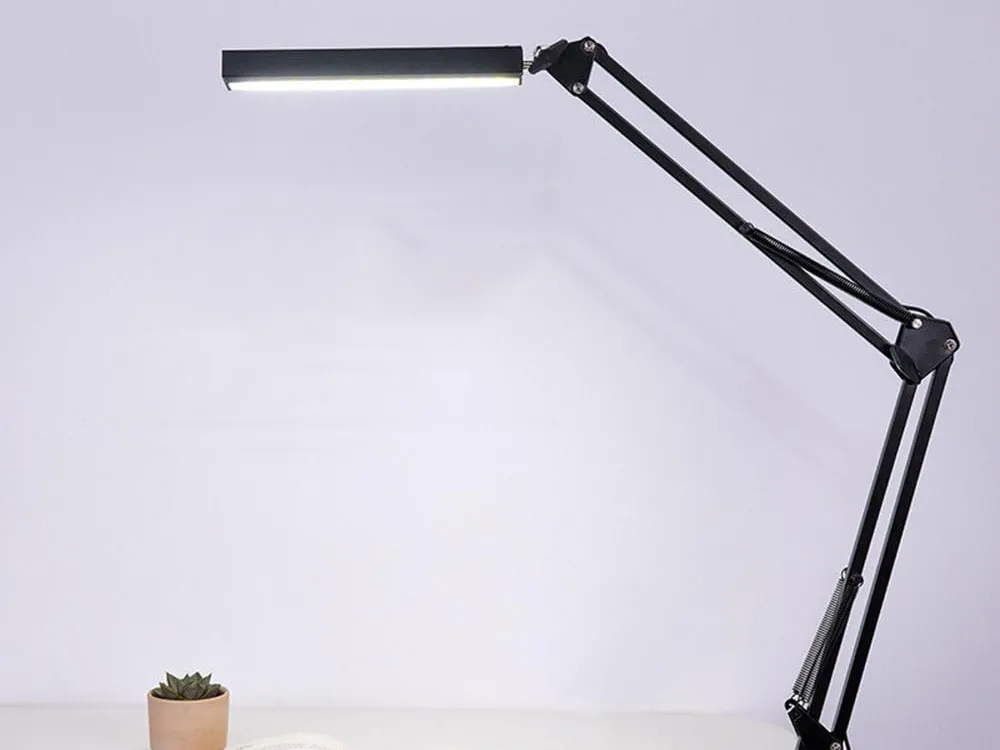
The ELEOPTION Swing Arm is the right pick if you want a true architect-style task light - a long, articulating arm that clamps to the edge of your desk, swings out over your work, and folds away when you don't need it. Three articulated joints plus a 360° rotating head and 180° pivoting neck mean you can position the light source pretty much anywhere within reach: directly over a sketchbook, angled across a keyboard, dropped low for close-up craft work, or pushed back over the edge of the desk to free your work surface entirely. When you're done, the whole arm folds compact for storage.
The clamp mount is the design choice that makes this style of lamp practical for small desks. Instead of taking up a footprint with a heavy weighted base, it grips the side of the desk and lets you reclaim that surface area for keyboards, notebooks, and reference materials. Three brightness levels (high, mid, low) are controlled by a touch sensor on the head, with the lowest setting around 2-5% intensity for nightstand use without disturbing a sleeping partner. The lamp is USB-powered, so you can run it from a wall adapter, a power bank, or your computer.
Why It's Famous: Architect-Lamp Flexibility at a Beginner Price
For around $45, the ELEOPTION delivers the kind of articulated swing-arm geometry that used to come exclusively on $80-$150 architect lamps. The metal-coated ABS construction keeps weight down without flexing under the arm's leverage, and the all-metal spring-supported lamp holder holds its position once you set it. Touch-control instead of a mechanical knob means there's nothing to wear out, and the foldable design means you don't have to dedicate desktop real estate to it when you're not actively using it.
The trade-off is that this is a single-color-temperature lamp - there's no warm-to-cool adjustment like the Lepro or the BenQ. The three brightness levels are also stepped rather than continuously dimmable, so you can't fine-tune intensity to specific tasks. For drafting, sketching, sewing, model-building, or any other task where you mostly need bright neutral light delivered to a precise spot, those limitations are completely fine. For someone who also wants warm-evening reading light, a different lamp on this list will serve better.
Pros | Cons |
|---|---|
True architect-style swing arm at a budget price (~$45) | Single color temperature - no warm/cool adjustment |
360° head + 180° neck + 3 articulated arm joints | Only 3 brightness levels (no stepless dimming) |
Clamp mount frees desktop space | ABS body is less premium than full-metal architect lamps |
Foldable for storage when not in use | |
USB-powered - flexible power options | |
Touch control (no mechanical switch to wear out) |
LED Desk Light Buying Guide: What to Look For
Color Temperature Adjustability
The single most important feature for a desk lamp used in extended work sessions. Warm light (2700K-3000K) reduces eye strain during evening work and supports healthy melatonin production. Cool light (5000K-6500K) improves alertness and color accuracy for daytime tasks and detailed work. Fixed-CCT desk lamps force a compromise - adjustable CCT lets you match the light to both the task and the time of day.
Flicker-Free Operation
Cheap LED desk lamps use PWM (pulse width modulation) dimming that creates invisible flicker at 100-240Hz. While imperceptible to conscious vision, this flicker causes eye fatigue, headaches, and reduced concentration during prolonged use. Quality LED desk lamps use DC dimming or high-frequency PWM (above 3,000Hz) that eliminates perceptible flicker. The IEEE PAR1789 standard recommends a flicker percentage below 8% at frequencies above 1,250Hz - look for desk lamps citing this standard or explicitly stating "flicker-free."
CRI (Color Rendering Index)
A CRI of 90 or higher ensures that colors appear accurate under the lamp - important for graphic designers, artists, photographers, and anyone reviewing printed materials. Most quality LED desk lamps achieve CRI 93-97. Budget lamps may offer CRI 80-85, which is adequate for general work but produces noticeable color distortion when comparing printed colors to on-screen references.
Brightness: Lumens vs. Lux
Lumens measure total light output; lux measures how much of that light actually lands on your work surface. The Illuminating Engineering Society (IES) recommends 300-500 lux for general office tasks and 500-1,000 lux for detailed work like reading fine print, drafting, or sewing. A desk lamp producing 400-800 lumens positioned 18-24 inches above the desk typically achieves these levels. Adjustable brightness is essential because optimal illumination depends on ambient room lighting, screen brightness, and individual visual needs.
Mounting Style: Base, Clamp, or Monitor-Mount
Weighted-base lamps are the most familiar but consume desktop real estate. Clamp-mount lamps grip the desk edge and free the work surface - ideal for small desks or shared spaces. Monitor-mount light bars (like the BenQ ScreenBar) eliminate desk footprint entirely and uniquely solve the screen-glare problem at computer workstations. Most serious workspaces benefit from a combination: a monitor light bar for screen work and a clamp or base lamp for paper-based tasks.
Conclusion:
Upgrading to a high-quality LED desk light is one of the most underrated improvements you can make to a home office, study, or creative workspace. Modern fixtures eliminate the eye strain caused by old fluorescents and the heat output of incandescents, delivering customizable lighting recipes that adapt to the task and time of day. As the industry continues to push monitor light bars, daylight-tracking algorithms, and architect-style flexibility into mainstream price tiers, getting the right light for your workspace has never been more affordable.
When making your final pick, think about how you actually use your desk. A monitor light bar is unbeatable for computer-heavy work. An adjustable-CCT task lamp handles paper, mixed-media, and evening reading. An architect-style swing arm shines for craft, drawing, and detail work. Match the lamp's strengths to the work you do most, and you'll feel the difference in eye comfort, focus, and energy by the end of the first long session.
Frequently Asked Questions
Q1: How bright should an LED desk light be?
A: The Illuminating Engineering Society recommends 300-500 lux for general office tasks and 500-1,000 lux for detailed work like reading fine print, drafting, or sewing. A lamp producing 400-800 lumens positioned 18-24 inches above the desk typically hits these levels. Always pick a lamp with adjustable brightness so you can tune output to your room's ambient light and the specific task at hand.
Q2: Is a monitor light bar better than a traditional desk lamp?
A: For computer-focused work, yes - monitor light bars eliminate screen glare, the primary cause of eye strain at computer workstations. For non-computer tasks like reading books, writing, or crafting, a traditional desk lamp with a flexible head provides more positioning flexibility. The ideal setup uses both: a monitor light bar for screen work and a separate adjustable lamp for paper-based tasks.
Q3: Does color temperature actually affect productivity?
A: Yes - research published in the Journal of Ergonomics shows cooler color temperatures (5000K-6500K) improve alertness, reaction time, and accuracy during daytime work, while warmer temperatures (2700K-3500K) reduce cognitive stimulation in the evening and support natural sleep preparation. Using a fixed cool-white desk lamp for late-night work can suppress melatonin and disrupt sleep quality. Adjustable-CCT lamps let you shift from cool during productive daytime hours to warm during evening reading - matching artificial light to your body's natural circadian rhythm.
Q4: Do LED desk lights really last longer than incandescent or halogen?
A: Dramatically longer. Quality LED desk lamps last 25,000-50,000 hours; premium fixtures like the Dyson Solarcycle Morph are tested at 60 years of 8-hour daily use. Incandescent bulbs last 1,000-2,000 hours; halogen lasts 2,000-4,000 hours. LEDs also use 5-12 watts versus 40-60 watts for incandescents producing similar usable light, slashing your power bill while running cool enough to safely sit inches from your hands.