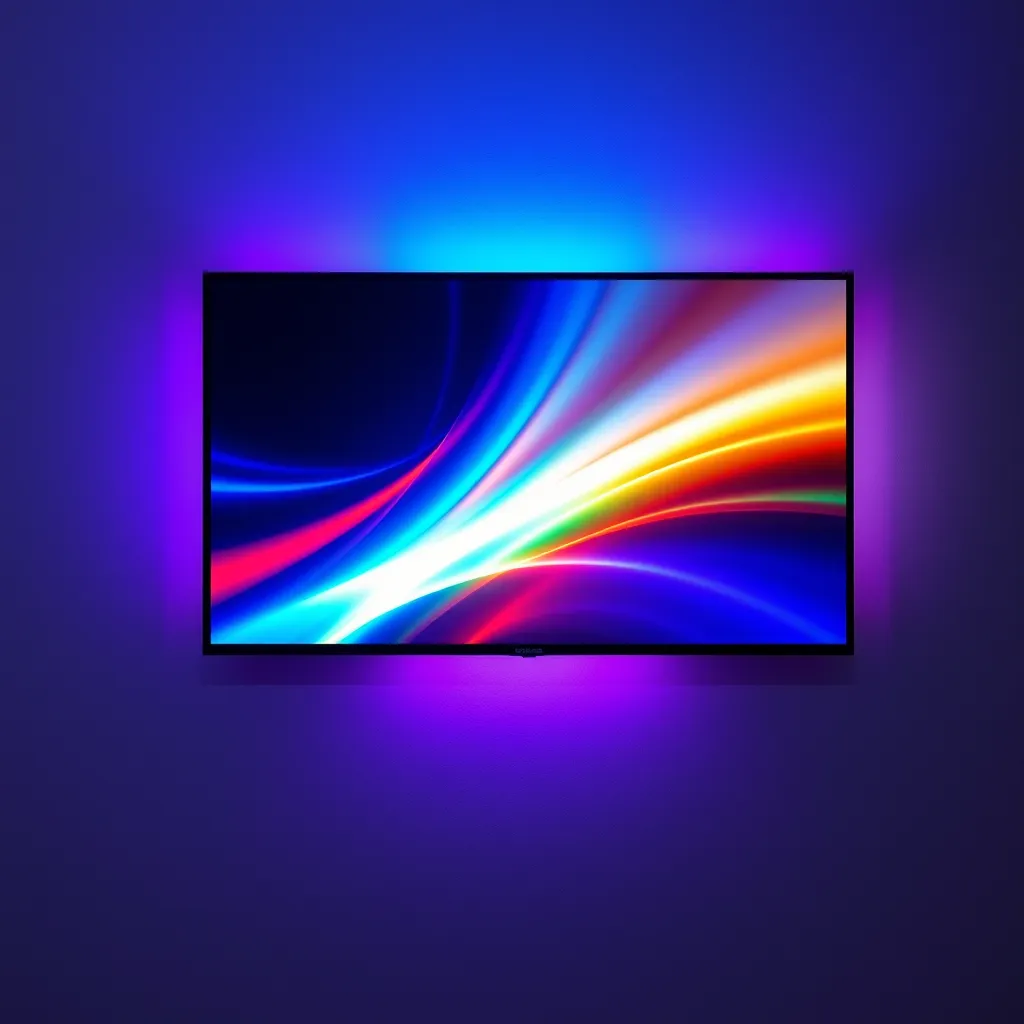
A TV bias light has one job that's actually two jobs: cut the eye strain that comes from staring at a bright screen in a dark room, and deepen the perceived contrast so blacks look blacker and colors look richer - without washing out the picture. No single strip is "best" at both for everyone, which is why the right pick depends on how much you want the light to do. A simple white strip that just glows behind the panel solves eye strain for $18. A camera-sync system that reads your screen and paints the wall in matching color turns movie night into a light show. A strip-plus-light-bars kit floods the whole corner of the room. The five picks below span that entire range: every one is a genuine LED bias light, all are dimmable or app-adjustable, and we judged each on sync method, color accuracy, brightness, smart features, TV-size fit, ease of install, and price - so you can match the light to your setup without guessing.
Disclosure: As an Amazon Associate, we earn from qualifying purchases. This doesn't affect the price you pay.
Product | Best For | Type | Key Feature | Price | |
|---|---|---|---|---|---|
Govee TV Backlight 3 Lite | Best Overall | Camera-sync strip | Fish-eye camera, RGBICW 4-in-1, DreamView | ~$75 (55-65") | |
Govee TV LED Backlight (RGBIC) | Best Value | RGBIC strip (no camera) | 99+ scenes, music sync, app + voice | ~$30 (55-65") | |
Govee Envisual TV Backlight T2 | Best Premium / Color Accuracy | Dual-camera strip | Dual cameras, 60 LEDs/m, double beads | ~$140 (55-65") | |
Govee TV Backlight 3 Lite Kit | Best Immersive Setup | Strip + 2 light bars + camera | Video + audio sync, DreamView | ~$150 | |
Luminoodle Color Bias Lighting | Best Budget | USB white/color strip | 6500K true white, remote, 15 colors | ~$18 |
Govee TV Backlight 3 Lite
Pick #1 - Best Overall
11.8ft RGBICW | Fish-Eye Correction Camera | 4-in-1 Lamp Bead (RGBICW) | Wi-Fi + App + Voice (Alexa/Google) | DreamView (up to 7 Sub-Devices) | Black-Bar Elimination | For 55-65" TVs | Adapter Powered
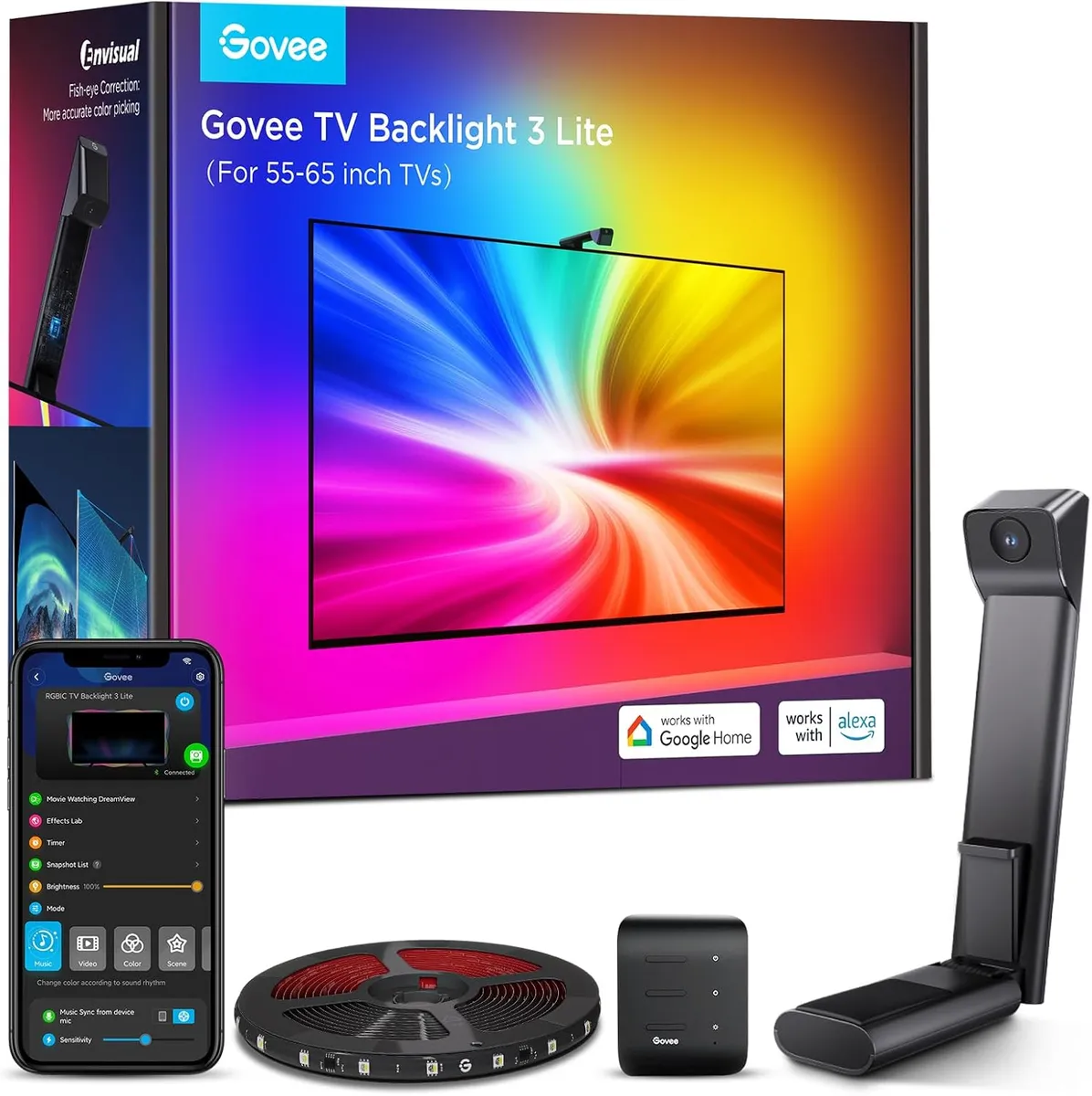
The 3 Lite is the do-everything pick, and the reason is its camera. Instead of asking you to pick colors by hand, it reads what's on your screen in real time and projects matching color onto the wall behind the TV - so a blue ocean scene throws blue, a fiery explosion throws orange, all automatically. Govee's upgraded chip adds a fish-eye correction function that widens the effective range for more accurate color-matching along the edges, and the RGBICW "4-in-1" lamp bead mixes in an extra warm-white chip for a purer white tone and denser pixels, which makes the whole effect look more natural rather than cartoonishly saturated. At about $75 for the 55-65" size (17% off its $89.99 list, roughly $6.36 per foot), it sits in the fair-value middle of the market while doing what pricier rigs do.
It's also a full smart-lighting hub, not just a strip. The gravitational hanging camera design clips on without wobble and works even on ultra-thin TVs; DreamView links up to seven Govee sub-devices for a 360-degree room effect; and you get black-bar elimination, blank-screen detection, 99+ preset effects, plus Alexa and Google voice control. Because it captures color directly off the screen, it works with literally any content - streaming, gaming, sports, broadcast - with no HDMI sync box and no compatibility headaches. It's earned a 4.5-star average across more than 9,900 ratings, an Amazon's Choice badge, and 4,000+ bought in the past month. Sizes run 40-50" ($54.99), 55-65" ($74.99), and 75-85" ($92.99). One honest caveat: the camera mounts on top and needs a quick calibration, and very strong room light can throw off color-picking - dim the lamps near the TV for the best result.
Why It's the Overall Pick: Real-Time Color Matching Without the Premium Tax
Most "best" bias lights make you choose between accurate color sync and a reasonable price. The 3 Lite refuses the trade-off: fish-eye-corrected camera matching, a warm-white-boosted 4-in-1 bead for natural tones, whole-room DreamView, and full voice control - all for about $75. It's the lowest-friction way to get a reactive, smart bias light that just works with everything you watch.
Pros | Cons |
|---|---|
Camera reads the screen and color-matches in real time | Camera needs top mounting plus a one-time calibration |
Fish-eye correction for better edge accuracy | Strong ambient light can affect color-picking |
RGBICW 4-in-1 bead adds true warm white | Sized per TV - buy the length that matches your set |
DreamView, 99+ presets, Alexa/Google voice | |
4.5 stars, 9,900+ ratings, Amazon's Choice |
Govee TV LED Backlight (RGBIC)
Pick #2 - Best Value
12.5ft RGBIC | 114 Lamp Beads | Wi-Fi + Bluetooth App Control | Alexa & Google | Music Sync (Built-in Mic) | 99+ Scene Modes + 11 Music Modes | For 55-65" TVs | Adapter Powered
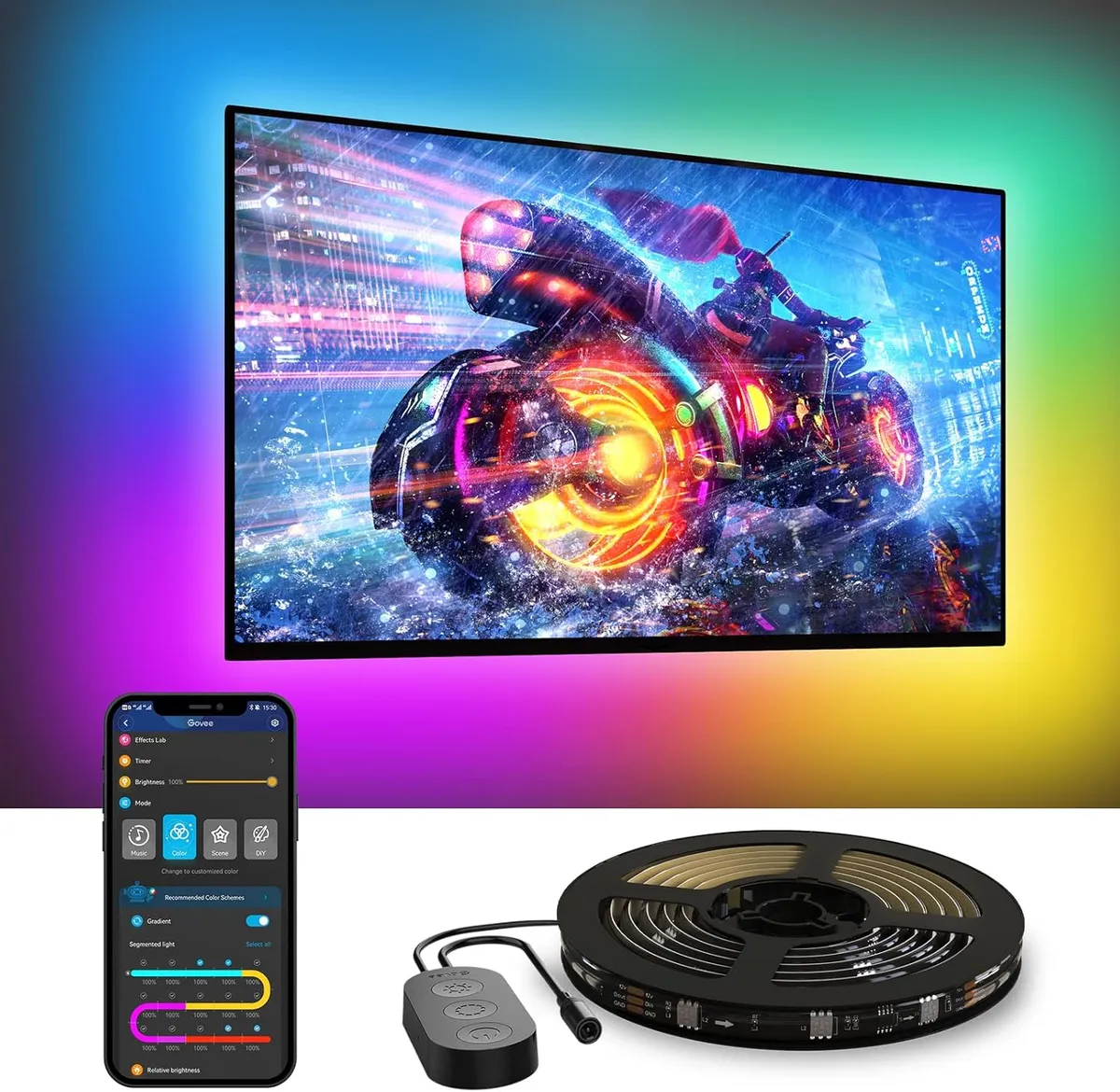
If you don't need the screen-matching camera, this is the value champion of the list - full RGBIC color for about $30, or roughly $23 with the on-page coupon (about $2.40 per foot). RGBIC means the 114 lamp beads can show multiple colors along a single run at once, so you get genuine gradient and segment effects rather than one flat color, and the 12.5ft length wraps all four sides of a 55-65" TV. It carries a 4.5-star average across more than 6,100 ratings, an Amazon's Choice badge, and 2,000+ bought in the past month - a lot of trust for the price.
The honest trade-off is right there in the spec: there's no camera, so it won't automatically match what's on your screen. Instead you drive it from the Govee Home app - 99+ scene modes, 11 music modes, plus DIY colors - or by voice with Alexa and Google. A built-in mic powers the music sync so the lights pulse with audio, which is great for gaming and parties. For the majority of people who mainly want the eye-strain and contrast benefits of bias lighting, plus vibrant ambiance on demand, without paying for camera hardware, this is the sweet spot. It also comes in a 15ft size for 70-80" TVs ($35.99). Note it's 2.4GHz Wi-Fi only, and if you want accurate "just glow white" bias lighting you can simply set it to a clean white in the app.
Why It's the Value Pick: Most of the Ambiance for a Third of the Price
The camera is the expensive part of a bias light - drop it, and you keep almost everything people actually use day to day: rich RGBIC color, app and voice control, music sync, and a length that fits a full-size TV, for around $30. For a bedroom TV, a gaming setup, or anyone who's happy picking scenes instead of auto-syncing, it delivers the best dollar-for-effect ratio here.
Pros | Cons |
|---|---|
Full RGBIC color and gradients for ~$30 (less with coupon) | No camera - won't auto-match on-screen colors |
12.5ft covers all four sides of a 55-65" TV | 2.4GHz Wi-Fi only |
99+ scenes, 11 music modes, app + voice control | Built-in mic sync reacts to room audio, not the TV feed |
Built-in mic music sync | |
4.5 stars, 6,100+ ratings, Amazon's Choice |
Govee Envisual TV LED Backlight T2 (Dual Cameras)
Pick #3 - Best Premium / Color Accuracy
11.8ft RGBIC | Dual Cameras | 60 LEDs/m + Double Light Beads | Wi-Fi App Control | Music Sync | DreamView | Energetic / Rhythm / Spectrum / Rolling Modes | For 55-65" TVs
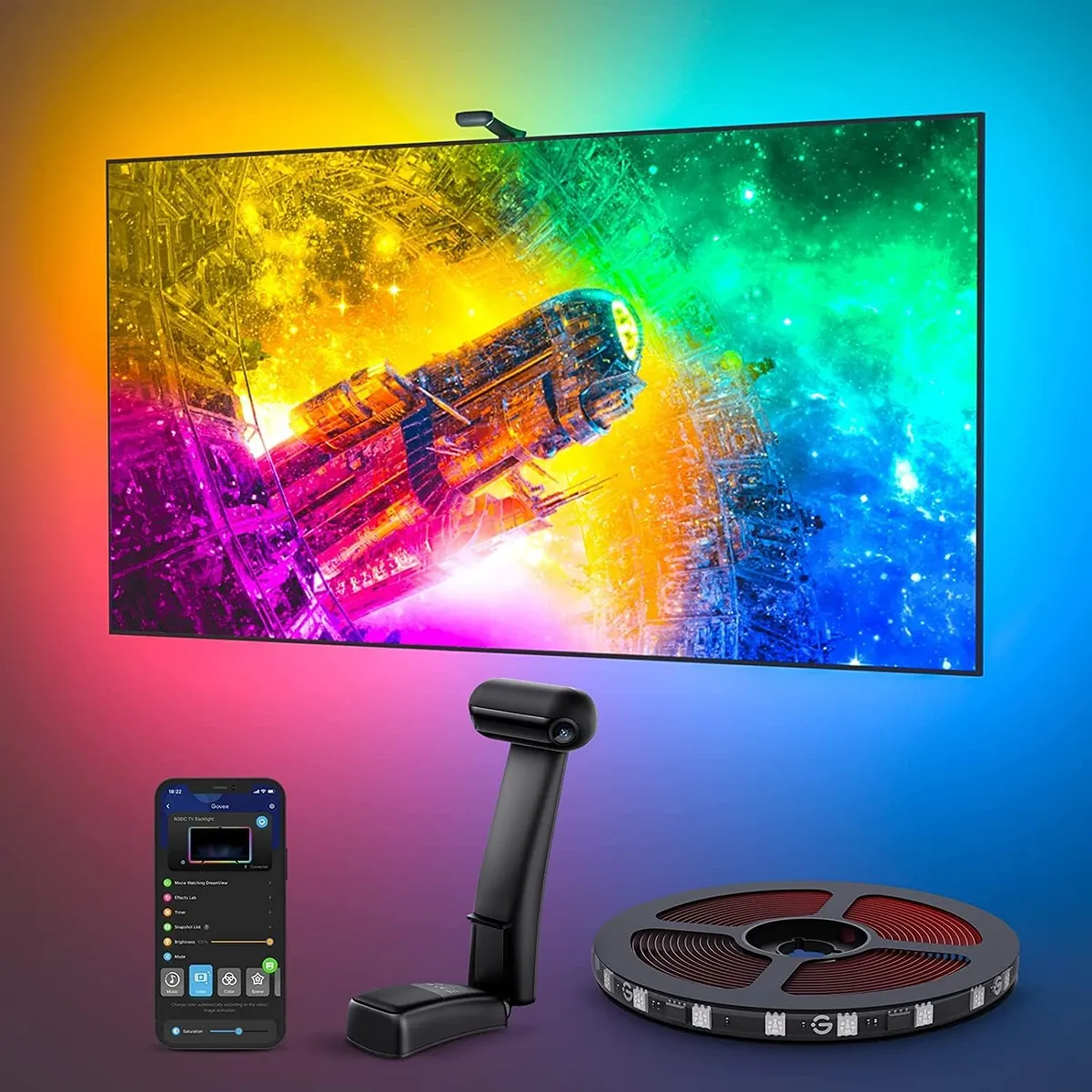
The T2 is the pick for people who care how faithfully the wall glow tracks the screen. It uses Govee's patented Envisual technology with dual cameras instead of one, which sharpens color-matching along the edges where single-camera strips tend to drift. It also packs a denser LED layout - 60 LEDs per meter with double the light beads - so the projected color looks more vivid and natural, with smoother transitions instead of visible dots. At about $140 for the 55-65" size (roughly $11.86 per foot), it's the premium tier of this list, with a 4.5-star average across more than 6,700 ratings and 300+ bought in the past month.
Day to day, it adjusts in real time to whatever's playing - shows, sports, gaming - and the DreamView feature lets you chain it with other Govee lights so the whole room reacts together, not just the strip behind the panel. App control covers brightness and color plus dedicated effect modes (Energetic, Rhythm, Spectrum, Rolling), DIY, and music sync. Two things to know before buying: the dual-camera module uses a counterweight design that mounts only at the top of the TV, and like all camera systems it benefits from a careful calibration - Govee recommends using a phone hotspot or staying near the router to load the calibration screen quickly, and avoiding strong direct light that can skew color-picking. If you want the most accurate, most refined reactive lighting here, the extra cameras and bead density are exactly what you're paying for.
Why It's the Premium Pick: Dual-Camera Accuracy and Double the Bead Density
Reactive bias lighting lives or dies on how well it reads the screen and how smoothly it renders the result. The T2 upgrades both halves - two cameras for better edge matching, and 60 LEDs/m with double beads for denser, more natural color - which is why it's the choice for home-theater and color-conscious viewers rather than the casual setup. It costs more, but it's the most accurate reactive light on this page.
Pros | Cons |
|---|---|
Dual cameras for more accurate edge color-matching | Most expensive pick here (~$140) |
60 LEDs/m + double beads - denser, more natural light | Counterweight camera mounts only at the top of the TV |
DreamView whole-room linking with other Govee lights | Needs careful calibration; avoid strong direct light |
Multiple effect modes, DIY, music sync | |
4.5 stars, 6,700+ ratings |
Govee TV Backlight 3 Lite Kit (with Light Bars)
Pick #4 - Best Immersive Setup
11.8ft RGBICW Strip + Two 15" Smart Light Bars | Fish-Eye Correction Camera | 4-in-1 Light Beads | Combined Video + Audio Sync | DreamView | Alexa & Google | For 55-65" TVs
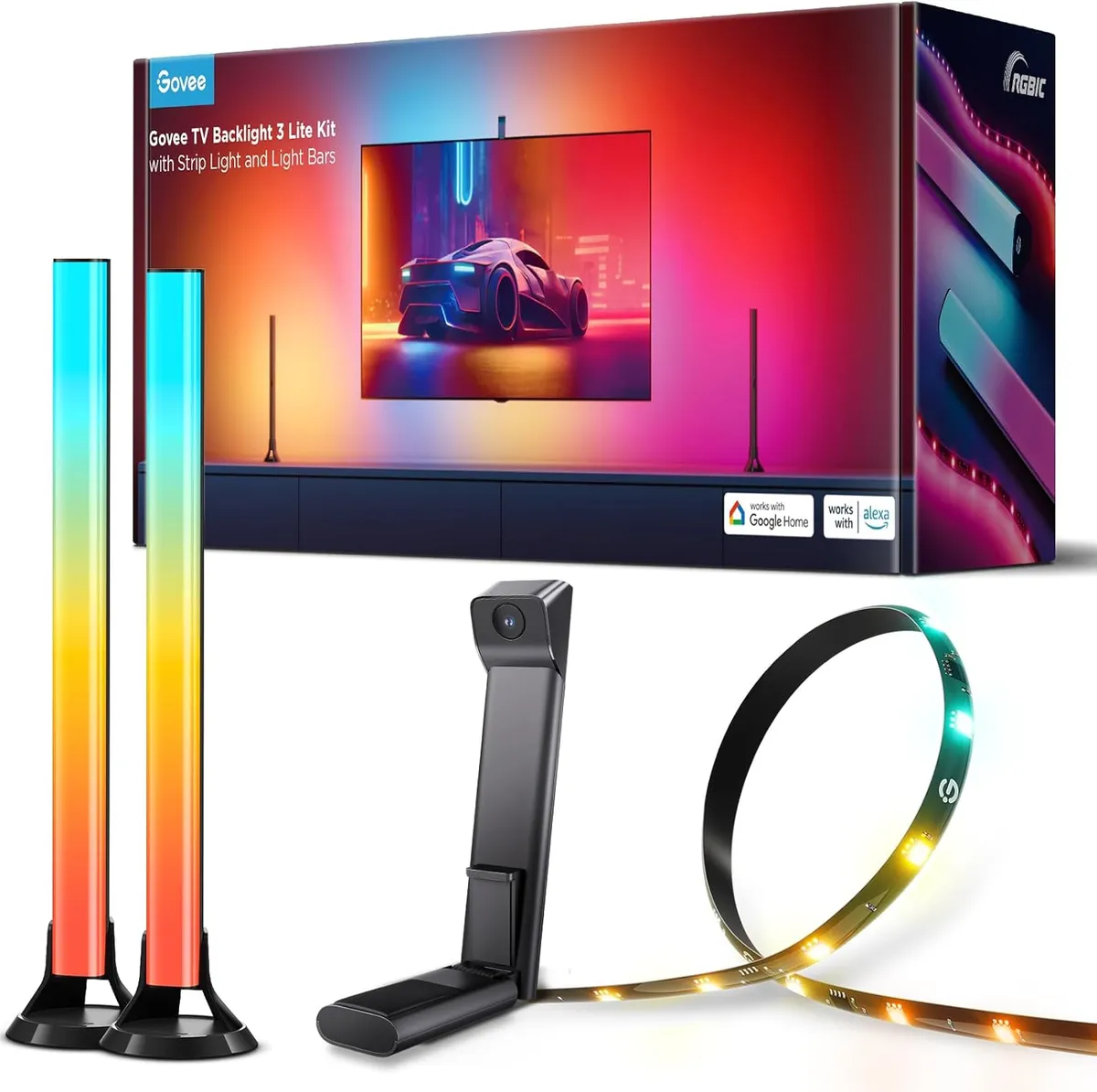
This is the same fish-eye-corrected 3 Lite strip and camera from our top pick, but bundled with two 15-inch smart light bars that stand beside or behind the TV - and that addition is what takes it from "nice glow" to genuine home-theater immersion. The strip handles the halo directly behind the panel while the bars push reactive color out to the sides of the unit, so the entire corner of the room moves with the action instead of just the wall. It runs $149.99 (with a 20% checkout saving available) and holds the highest rating on this list: 4.6 stars across 760+ ratings, an Amazon's Choice badge, and 100+ bought in the past month.
The standout is combined video and audio syncing - the lights don't only track on-screen visuals, they also respond to sound, so an explosion hits your eyes and ears and the room at the same moment. You still get the upgraded 4-in-1 RGBICW beads for natural warm-white tones, the gravitational hanging camera for easy install on thin TVs, DreamView linking, and full Alexa/Google voice and app control. It's the priciest of the strip-based picks once you count the extra hardware, and you'll need spots to place the two bars - but if your goal is maximum movie-and-gaming immersion in one box, nothing else here matches the effect.
Why It's the Immersive Pick: Strip Plus Bars Plus Camera in One Box
A strip alone lights the wall; this kit lights the room. Pairing the camera-synced strip with two reactive light bars and combined video-plus-audio syncing creates a wraparound effect that a single backlight can't, which makes it the clear choice for a dedicated movie or gaming setup. You pay more and place a few more pieces, but you get the most cinematic result on this list.
Pros | Cons |
|---|---|
Strip + two 15" light bars for true wraparound immersion | Priciest strip-based pick at ~$150 |
Combined video AND audio syncing | Needs placement space for the two bars |
Fish-eye camera + RGBICW 4-in-1 beads | Sized for 55-65" TVs |
DreamView, Alexa/Google, full app control | |
Highest rating here - 4.6 stars, Amazon's Choice |
Luminoodle Color Bias Lighting
Pick #5 - Best Budget
6.6 ft (78") USB Strip | 6500K True White + 15 Colors | Wireless Remote | 10 Brightness Levels + 1 Fade Mode | 3M Adhesive, No Tools | Best for Monitors & Smaller TVs
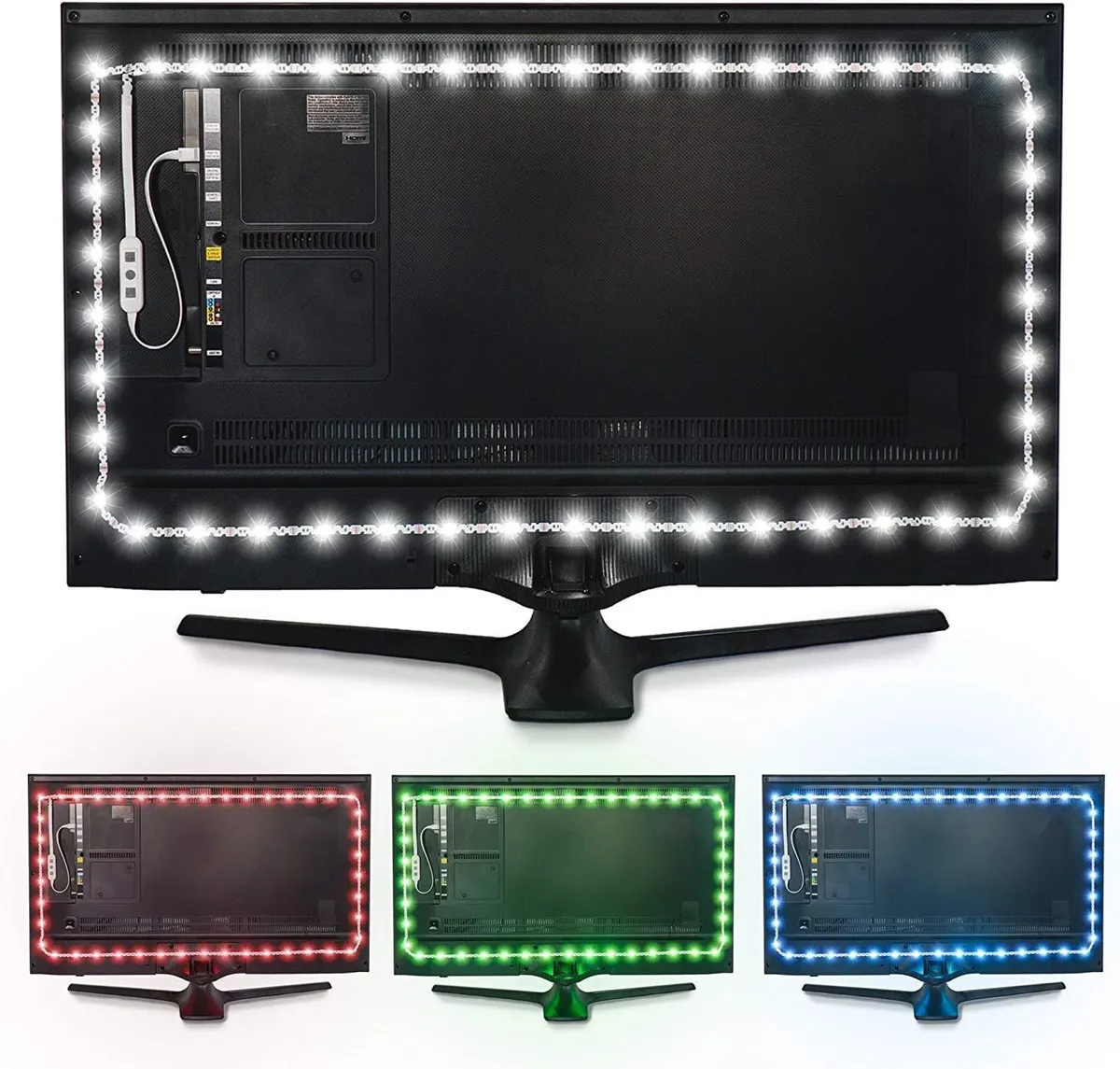
The Luminoodle is the easy on-ramp: $17.99, USB-powered, and about as simple as bias lighting gets. Its core job is the 6500K "true white" setting - the same daylight-neutral reference used by video pros - which is exactly what relieves eye strain and improves contrast without tinting the picture. On top of that you get 15 colors, 10 brightness levels, and a fade mode, all driven from a small wireless remote, so it doubles as mood lighting when you want it. It's also the most-reviewed product on this page by a wide margin: a 4.5-star average across nearly 12,000 ratings. Install is pure stick-and-plug - peel the 3M adhesive, run it around the back of the screen, plug the USB into the TV or a wall adapter.
One honest sizing note, because the listing can be confusing: this "Medium" strip is 6.6 ft (78 inches), which realistically suits monitors and smaller TVs rather than a full four-side wrap on a 65-inch set. It's sold in several tiers - Small, Medium, and Large - and in two flavors: "White" (white-only, a couple dollars cheaper) and "Pro" (white plus the 15 colors). For a desk monitor, a bedroom TV, or anyone who just wants accurate white bias lighting at the lowest possible price, pick the size that matches your screen and you're set. If you have a big living-room TV, the Govee value pick above is the better fit for length and features - but for sheer simplicity and price, nothing here beats the Luminoodle.
Why It's the Budget Pick: Accurate 6500K White and a Remote for Under $20
Bias lighting's foundational benefit - reduced eye strain and better perceived contrast - comes from a neutral 6500K white glow, and the Luminoodle delivers exactly that for $18, then throws in color and remote dimming on top. With USB power and adhesive mounting, it's the lowest-effort, lowest-cost entry to the category, ideal for monitors and smaller screens or as a no-fuss first upgrade.
Pros | Cons |
|---|---|
Accurate 6500K true white - the core bias-light benefit | 6.6 ft "Medium" is short - sized for monitors/smaller TVs |
15 colors, 10 brightness levels, fade mode via remote | No app, voice, or screen sync |
USB-powered, 3M adhesive, tool-free install | Big living-room TVs need a longer strip (size up) |
Lowest price on the list (~$18) | |
4.5 stars across ~12,000 ratings - most reviewed here |
TV Bias Lighting Buying Guide: What to Look For
What Bias Lighting Actually Does
Bias lighting is a soft light placed behind your TV that glows onto the wall without shining into your eyes. It does two measurable things: it reduces eye strain by narrowing the harsh brightness gap between a bright screen and a dark room, so your pupils stop constantly readjusting; and it raises perceived contrast, making on-screen blacks look deeper and colors look richer. It isn't a substitute for setting your TV's brightness correctly or taking breaks - but as a cheap, reversible upgrade, the comfort and picture improvement are immediate the first night.
Sync Method: Camera vs. App vs. None
This is the single biggest decision. Camera-sync strips (the 3 Lite, the 3 Lite Kit, and the dual-camera T2) read your screen and project matching color in real time - the most dramatic effect, and it works with any content because it captures color directly off the panel, no HDMI box required. App-controlled strips (the Govee value pick) skip the camera: you choose scenes, colors, and music modes yourself, which is cheaper and plenty for most rooms. Simple white strips (the Luminoodle) don't sync at all; they just glow, which is all you need for pure eye-strain relief.
Color Temperature and Accuracy
For the classic, picture-first bias-light benefit, you want a neutral 6500K (also called D65) white - the same reference color TVs are calibrated to - because it won't distort how colors look on screen. Cheaper strips sometimes claim 6500K but drift blue or green; a dedicated white setting like the Luminoodle's is the safe bet for accuracy. Reactive RGBIC strips trade some of that purity for the fun of full-color matching, which is the whole point of camera systems - just know the two goals (reference-accurate white vs. vivid color sync) pull in slightly different directions.
Sizing the Strip to Your TV
Measure your TV diagonally and buy the kit made for that range - most are sold in 55-65", 70-80"/75-85", and smaller monitor sizes. The listed length is meant to wrap all four sides of the back panel, so a too-short strip leaves a dark gap along one edge. When a product comes in multiple sizes (as several here do), match the size to the screen rather than assuming one length fits all; the short 6.6ft budget strips, for example, are really monitor-and-small-TV territory.
Installation and Power
Nearly all of these mount with 3M adhesive on the clean back edge of the TV - wipe off dust first, and use any included clips at the corners so the strip doesn't peel. Power is either USB (plug into the TV's own USB port - check it supplies at least 5V/1A) or a wall adapter for brighter, longer strips. Camera models add one step: the camera mounts on top of the TV and needs a quick calibration in the app, ideally in normal room lighting and near your router or a phone hotspot for a fast setup.
Smart Features Worth Having
If you want voice or automation, look for Wi-Fi plus Alexa and Google support (all the Govee picks have it) so you can say "turn on the TV lights" or schedule them. Music sync - via a built-in mic - makes the lights pulse to audio, which is great for gaming and parties. And Govee's DreamView lets a camera strip act as the "master" that other Govee lights in the room follow, turning a single backlight into a coordinated, whole-room effect.
Conclusion
Adding a bias light is one of the cheapest, fastest upgrades you can make to a TV - the eye-strain relief and contrast boost show up the very first evening, and the whole thing is reversible if you change your mind. The trick is to stop shopping for "a TV light" and decide how much you want it to do: just glow, glow in color on command, or react to the screen in real time.
If you want the best all-around experience, start with the Govee TV Backlight 3 Lite - camera sync, smart features, and a fair price. Want the effect for less? The Govee RGBIC value strip gives you color and music sync without the camera for around $30, and the Luminoodle covers monitors and smaller screens for under $20. Chasing the most accurate, refined reactive light? The dual-camera Envisual T2 is the premium choice. And for full home-theater immersion, the 3 Lite Kit with light bars lights the whole corner of the room. Match the pick to your TV size, set the white to 6500K when you want pure picture quality, and your screen will be easier on the eyes and better-looking from night one.
Frequently Asked Questions:
Q1: Does TV bias lighting actually reduce eye strain?
A: Yes. Watching a bright screen in a dark room forces your eyes to constantly readjust between the two extremes, which causes fatigue and headaches. A bias light placed behind the TV adds a moderate, even glow that shrinks that brightness gap, so your eyes work less. As a bonus, the surrounding light makes on-screen blacks appear deeper and colors more vivid. It's not a replacement for correct screen-brightness settings or taking breaks, but it's a real, low-cost comfort upgrade.
Q2: What color temperature should TV bias lighting be?
A: For the cleanest picture benefit, use a neutral 6500K (D65) white - the same reference color TVs are calibrated around - so the glow doesn't tint what you see on screen. Strips with a dedicated true-white setting are best for this. Color-sync strips (the camera models) intentionally shift colors to match the screen, which is a different, more decorative goal; if you want both, many RGBIC strips let you switch to a plain white mode whenever you want accuracy over ambiance.
Q3: Do I need a camera or an HDMI sync box?
A: It depends on the effect you want. The camera strips here (3 Lite, 3 Lite Kit, Envisual T2) capture color directly off the screen, so they sync with anything you watch - including TV apps and live broadcast - without an HDMI sync box. App-only strips like the Govee value pick don't sync to content at all; you choose scenes and colors yourself. Pure white strips like the Luminoodle simply glow. None of these picks requires an HDMI sync box.
Q4: How do I choose the right size for my TV?
A: Measure your TV diagonally and buy the kit made for that size range - for example, the 55-65" versions here use an 11.8-12.5ft strip to wrap all four sides of the back. A strip that's too short leaves a dark gap on one edge, and one that's much too long has to be tucked or trimmed. When a product offers several sizes, pick the one that matches your screen; the short 6.6ft budget strips are best for monitors and smaller TVs.