Most LED ceiling light problems - not turning on, flickering, buzzing, or dimming - are caused by a failed LED driver (the most common issue), loose wiring connections, an incompatible dimmer switch, or a dead LED board. The driver (internal power supply) fails before the LEDs in the vast majority of cases. Before replacing the entire fixture, diagnose the specific component that failed - you may only need to replace a $10-$20 driver rather than the entire $30-$100 fixture. Always turn off the circuit breaker before working on any ceiling light.
Problem-Solution Quick Reference
Problem Most Likely Cause Fix Light does not turn on at all Failed driver, tripped breaker, or loose wiring Check breaker → check connections → replace driver Light flickers constantly Incompatible dimmer or failing driver Replace dimmer switch or replace driver Light buzzes or hums Incompatible dimmer or cheap driver Replace with LED-compatible dimmer Light turns on then off Thermal protection (overheating) or driver fault Improve ventilation or replace driver Light is dim or partial sections dark Partial LED board failure or voltage issue Replace LED board or check voltage Light glows faintly when off Residual current from smart switch or dimmer Add LED minimum load adapter or replace switch
Diagnosing the Problem
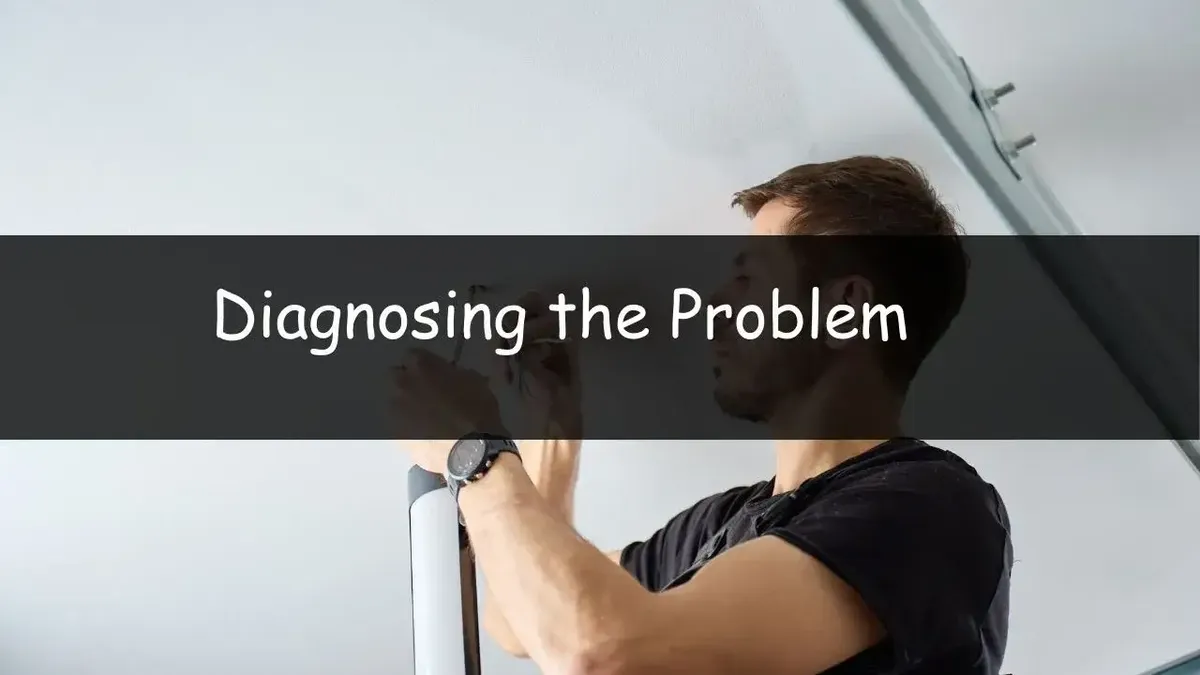
Step 1 - Verify power at the fixture. Turn off the circuit breaker. Remove the light's cover and use a non-contact voltage tester to verify the breaker actually cut power. Then turn the breaker back on and test for voltage at the wire connections inside the fixture junction box. If no voltage is present, the problem is in the switch, wiring, or breaker - not the fixture. If voltage is present at the junction box but the light does not work, the problem is in the fixture (driver or LED board).
Step 2 - Inspect connections. Turn off the breaker. Check all wire connections (wire nuts) in the junction box - loose or corroded connections are a common cause of intermittent failures and flickering. Twist each wire nut firmly. Look for burned or discolored wires indicating a loose connection that was arcing. Also check the connections between the junction box wiring and the fixture's internal wires.
Step 3 - Test the driver. The LED driver is the small rectangular box inside the fixture with wires going in (AC input from the house wiring) and wires going out (DC output to the LED board). With the fixture powered on, use a multimeter set to DC voltage on the driver's output wires. Compare the reading to the voltage printed on the driver label. If the driver outputs no voltage or incorrect voltage, the driver has failed. Replace it with a matching driver (same output voltage, current, and wattage).
Step 4 - Inspect the LED board. If the driver output voltage is correct but the light does not work, the LED board (the flat board with LEDs mounted on it) may have failed. Look for visibly burned LEDs (dark or discolored spots), cracked solder joints, or burn marks on the board. Individual LED failures sometimes appear as dark sections in an otherwise working fixture. A multimeter can test continuity across LED strings to identify the failed section.
Fixing the Most Common Issue: Driver Replacement
Identify the driver specs. Note the driver's output voltage (typically 12V, 24V, 36V, or a range like 24-42V), output current (in milliamps, e.g., 300mA, 600mA, 900mA), and total wattage. These specifications are printed on the driver label. The replacement driver must match these specifications - mismatched voltage or current will either not power the LEDs or damage them.
Purchase a replacement. LED drivers are available from Amazon, electrical suppliers, and the fixture manufacturer. Search for drivers matching your specifications. Meanwell and Inventronics are reputable driver brands. Cost: $8-$25 for most residential fixtures. If you cannot find a matching driver, contact the fixture manufacturer with the model number - they often sell replacement drivers directly.
Install the new driver. Turn off the breaker. Disconnect the old driver's AC input wires (from the house wiring) and DC output wires (to the LED board). Connect the new driver in the same configuration - AC input to house wiring, DC output to LED board, matching polarity. Secure the new driver in the fixture housing. Restore power and test.
When to Replace vs Repair
Replace the driver if the driver has failed but the LED board is intact - this is the most common and cost-effective repair ($10-$25 for the driver vs $30-$100+ for a new fixture).
Replace the entire fixture if the LED board has failed (replacement boards are often proprietary and hard to source), if the fixture is old and multiple components show degradation, or if the cost of a replacement driver approaches the cost of a new fixture.
Replace the dimmer switch if the fixture works on a standard (non-dimmer) circuit but flickers or buzzes on a dimmer. An LED-compatible dimmer switch ($15-$30) solves this without touching the fixture itself.
Conclusion:
Most LED ceiling light problems stem from a failed driver, loose connections, or dimmer issues. Diagnosing the exact cause lets you repair cheaply by replacing the driver ($10-$25) instead of the entire fixture, ensuring safe, long-lasting lighting.
Frequently Asked Questions
Q1: Why do LED ceiling lights fail sooner than their rated lifespan?
A: The 25,000-50,000-hour LED lifespan rating applies to the LEDs themselves under optimal conditions. In practice, the LED driver (a complex electronic circuit) is the weakest link - it contains capacitors and other components that degrade from heat, voltage spikes, and normal aging. Enclosed ceiling fixtures trap heat, accelerating driver degradation. Cheap fixtures use low-quality drivers that may fail within 2-5 years. Premium fixtures with quality drivers (Meanwell, Philips Advance) typically meet or exceed their rated lifespan.
Q2: Can I repair individual LEDs on the board?
A: Technically, individual surface-mount LEDs can be replaced with soldering skills and the correct LED component. However, this requires identifying the exact LED specification (forward voltage, current, color temperature), desoldering the failed LED, and soldering a replacement - a task that requires fine soldering equipment and experience. For most homeowners, replacing the driver (if the LEDs are working) or the entire fixture (if LEDs have failed) is more practical.
Q3: Is it safe to open and repair an LED ceiling light myself?
A: Yes, with basic precautions. Always turn off the circuit breaker and verify power is off with a non-contact voltage tester before touching any wiring. The low-voltage DC side of the fixture (LED board and driver output) is safe to handle. The high-voltage AC side (house wiring, driver input) requires the same caution as any household electrical work. If you are not comfortable working with household wiring, hire an electrician. The repair itself (swapping a driver) is straightforward once power is safely disconnected.