Cut LED strip lights only at the designated cut lines marked between copper solder pads on the strip. These marks appear every 1-4 LEDs (typically every 2 inches on 12V strips or every 4 inches on 24V strips) and look like a dotted line or scissor icon between two exposed copper pads. Use sharp scissors or a craft knife to cut straight through the center of the cut line. Cutting between the pads preserves working circuits on both sides of the cut, so both pieces remain functional.
Cutting anywhere other than the marked lines breaks the internal circuit and permanently disables the LEDs between the two nearest cut points. The good news is that a bad cut only affects that small segment - the rest of the strip continues to work normally.
Step-by-Step: Cutting LED Strip Lights
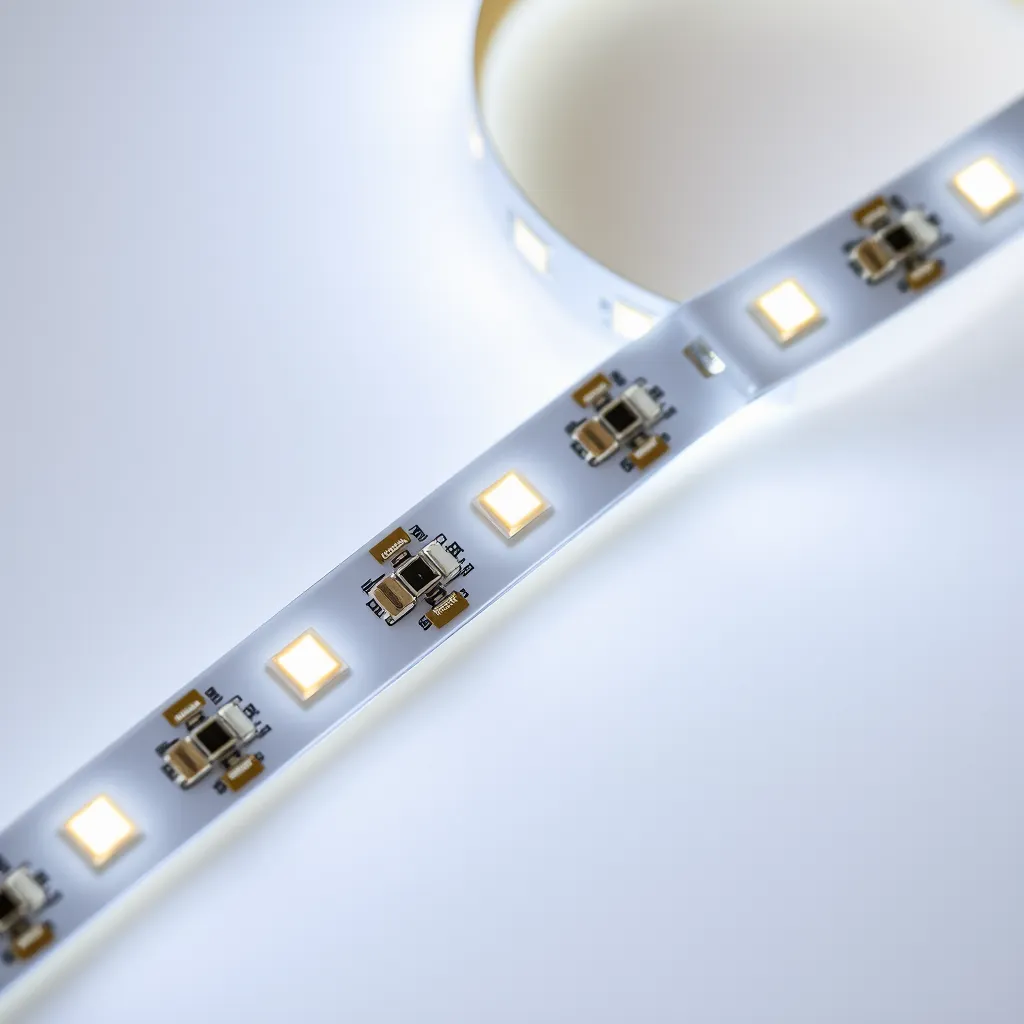
Step 1: Identify the cut lines. Unroll your strip and look for the marked cutting points. On most strips, you will see a straight line (solid or dashed) running perpendicular to the strip between two copper pads. Some manufacturers print a scissor icon. If you cannot find any marks, hold the strip up to light - the copper pads are visible as small rectangular patches at regular intervals.
Step 2: Measure your installation length. Measure the area where the strip will be installed and find the cut line closest to that measurement. LED strips can only be cut at fixed intervals, so you may need to round down slightly. For a 37-inch cabinet, you would cut at 36 inches (the nearest cut line on a strip with 2-inch segments) rather than cutting between marks.
Step 3: Make the cut. Use sharp scissors for a clean, straight cut through the center of the cut line. Cut perpendicular to the strip, not at an angle. A clean cut leaves the copper pads fully intact on both ends, which is essential if you plan to reconnect the pieces later using soldering or snap connectors. A craft knife on a cutting mat also works well for precision.
Step 4: Seal the cut end. If the strip will be used in a damp or dusty location, apply a small dab of clear silicone sealant or heat-shrink tubing over the exposed cut end. This prevents moisture from reaching the copper pads and causing corrosion. For indoor, dry installations, sealing is optional.
Cut Intervals by Strip Type
Strip Voltage | Typical Cut Interval | LEDs Per Segment |
|---|---|---|
12V DC | Every 2 inches (5 cm) | 3 LEDs |
24V DC | Every 4 inches (10 cm) | 6 LEDs |
5V DC (USB) | Every 1 LED (individually addressable) | 1 LED |
120V AC (rope light) | Every 12-36 inches | Varies |
The cut interval depends on how the LEDs are wired internally. In a 12V strip, every 3 LEDs are wired in series with a resistor to form one segment. Each segment is an independent circuit, which is why cutting between segments does not affect the rest of the strip. Addressable RGB strips (like WS2812B) can often be cut after every single LED because each LED has its own integrated controller chip.
How to Reconnect Cut LED Strips
After cutting, you can rejoin pieces or extend the strip using two methods. Solderless snap connectors clip onto the exposed copper pads and make a pressure-based electrical connection. They are fast and require no tools but may loosen over time in warm environments. Soldering creates a permanent bond - tin the pads and wire ends, then join them with a brief touch of the iron. Soldering is more reliable for permanent installations, especially around heat sources like under-cabinet kitchen lighting.
When reconnecting, match the polarity markings on the strip. Single-color strips have two pads (+ and −). RGB strips have four pads (+, R, G, B). RGBW strips have five pads. Reversing polarity on a single-color strip will not damage it, but the LEDs will not light. Reversing connections on an RGB strip will produce wrong colors rather than the colors you expect from the controller.
Common Mistakes When Cutting LED Strips
Cutting between marks: The most common error. If you cut between copper pads rather than at the designated line, you sever the circuit trace and lose the LEDs in that segment permanently. The rest of the strip still works, but that section is dead and cannot be repaired. Angled cuts: Cutting at an angle can slice through one copper pad while leaving the other intact. This makes reconnection difficult or impossible because you need both pads to make a reliable contact.
Cutting while powered on: Always disconnect the strip from power before cutting. While the voltages involved (5V-24V DC) are not dangerous to you, cutting through a live circuit can cause a brief short that damages the LEDs adjacent to the cut point. Not leaving enough pad: Cut through the center of the cut line, not at the edge closest to the copper pad. Leaving the maximum pad area exposed makes soldering and connector attachment much easier.
Conclusion:
Mastering the art of cutting LED strips allows for a truly bespoke lighting design, whether you are illuminating a kitchen backsplash or a home theater. The key lies in patience and precision; rushing the cut can lead to wasted material, while a careful approach ensures every inch of your strip performs as intended.
Before you start your next project, remember to test your strips both before and after cutting to catch any electrical issues early. With the right tools and a clear understanding of your strip's specific cut intervals, you can create seamless, high-quality lighting that fits your space perfectly.
Frequently Asked Questions
Q1: Can I reuse the leftover piece after cutting?
A: Yes, as long as you cut at a designated cut line. The remaining piece is a fully functional LED strip. You will need to attach a new power connection to the cut end, either by soldering wires directly to the copper pads or using a solderless clip connector. Many people save leftover pieces for small accent lighting projects like shelves, closets, or PC cases.
Q2: What if I accidentally cut in the wrong spot?
A: You will lose the LEDs between the two nearest cut marks. The dead segment is typically only 2-4 inches long. The rest of the strip on either side of the mistake still works. You can bridge the gap by soldering a short wire jumper between the last working pad on one side and the first working pad on the other, effectively bypassing the dead segment.
Q3: Can you cut waterproof LED strips?
A: Yes, but you will need to reseal the cut end. Waterproof strips are coated in silicone or encased in a silicone sleeve. After cutting, the exposed end is no longer waterproof. Apply silicone sealant or use a waterproof end cap to restore the seal. For IP67/IP68-rated strips used outdoors or in wet locations, proper resealing is critical to prevent water damage.