How To Hardwire LED Strip Lights

How To Hardwire LED Strip Lights

Installation15 min readMay 18, 2026Abubakar

Learn how to hardwire LED strip lights, including driver sizing, 12V vs 24V, dimmer compatibility, and NEC code compliance for a clean install.

Hardwiring is the gold standard for professional lighting installations. While plug-and-play kits are convenient for temporary setups, they leave you with visible "wall wart" adapters and messy cables. By hardwiring, you integrate the lighting directly into your home's electrical system, allowing you to control your atmosphere with a standard wall switch or a high-end dimmer. This process involves connecting a dedicated LED driver to a 120V AC circuit, which then provides the precise low-voltage DC power required by the light strips.

A successful installation requires a balance of high-voltage electrical knowledge and low-voltage precision. The transition from the 120V "Line Voltage" in your walls to the 12V or 24V "Low Voltage" of the LEDs is handled by the driver. Doing this correctly ensures not only a clean aesthetic but also a system that operates coolly and lasts for its rated 50,000 hours.

Essential Components for a Hardwired System

Before stripping any wires, you must assemble the correct hardware. The most common mistake is mixing incompatible voltages or choosing a driver that cannot handle the load. A hardwired system is only as reliable as its weakest connection.

Component

Technical Requirement

Function

LED Driver

Constant Voltage (12V or 24V)

Converts 120V AC to DC power

LED Strips

Must match Driver Voltage

The light source (tape/ribbon)

Junction Box

Metal or Plastic (UL Listed)

Encloses 120V connections for safety

Primary Wire

14/2 Romex (NM-B)

Carries 120V from switch to driver

Secondary Wire

18 AWG to 16 AWG CL2/3

Carries low voltage from driver to strip

Wall Dimmer

TRIAC, ELV, or 0-10V

Controls brightness via the driver

Selecting the Correct Voltage: 12V vs. 24V

Most residential strips operate on either 12V or 24V DC. For hardwired installations, 24V systems are generally superior. Higher voltage means the system draws less current (amperage) for the same amount of power. This reduces "voltage drop"-the phenomenon where the LEDs at the end of a long run appear dimmer than those at the start. If your run exceeds 16 feet, 24V is the standard choice to maintain uniform brightness.

Calculating Driver Wattage (The 80% Rule)

LED drivers generate heat. To prevent premature failure, never load a driver to 100% of its rated capacity. Calculate your total wattage by multiplying the watts-per-foot of your strip by the total length. For example, if a strip uses 3 watts per foot and you are installing 15 feet, your total load is 45 watts. You should use a driver rated for at least 56 watts (45 / 0.80). Standardizing on a 60W or 75W driver in this scenario provides the necessary "headroom" for the electronics to breathe.

Detailed Step-by-Step Installation
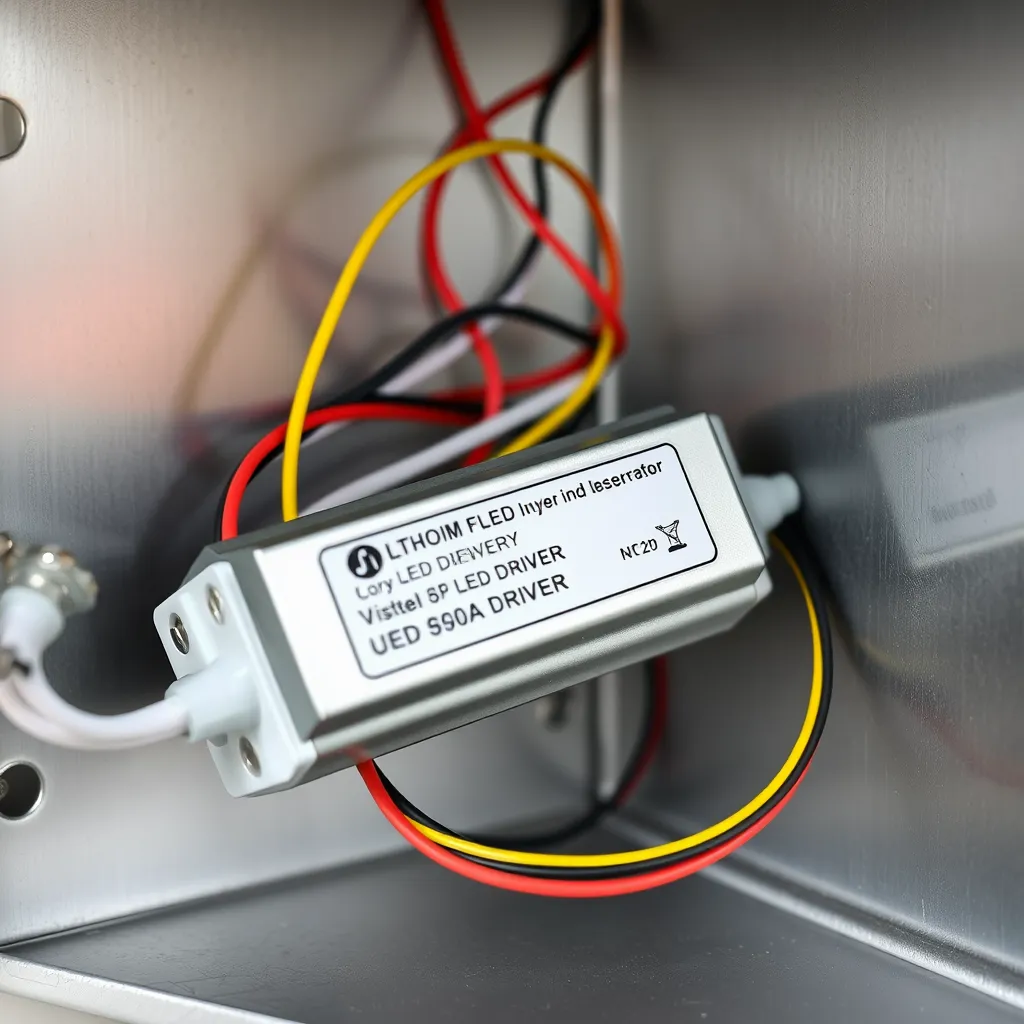
A close-up view of an LED driver with 120V AC input and DC output wires connected

Installing the system is a two-phase process: the high-voltage side (AC) and the low-voltage side (DC). Safety note: Always turn off the circuit breaker before beginning. Use a non-contact voltage tester to confirm the wires are cold.

Phase 1: The High-Voltage AC Side

The AC side involves bringing power from your house's electrical panel (or an existing junction box) to the LED driver. This wiring must follow the National Electrical Code (NEC). All 120V connections must occur inside a junction box. If your driver does not have a built-in enclosure, you must mount it inside a separate, ventilated metal box.

  1. Route the Romex: Run 14/2 or 12/2 NM-B cable from your wall switch to the driver's location. Common locations for drivers include inside a kitchen cabinet, in a pantry, or in the attic.

  2. Secure the Connections: Inside the junction box, connect the black (hot) wire from the switch to the black input wire of the driver. Connect the white (neutral) wires together. Attach the bare copper or green (ground) wire to the driver's ground screw or lead.

  3. Strain Relief: Use cable clamps where the Romex enters the junction box. This prevents the wires from being pulled loose or chafing against the edge of the metal box.

Phase 2: The Low-Voltage DC Side

This is where the power leaves the driver and travels to the LEDs. Since this is low voltage (Class 2), you have more flexibility with how you run the wires, but quality still matters. 18 AWG (American Wire Gauge) is the standard for most residential runs under 20 feet.

  1. Identify Polarity: DC power is directional. You must connect positive (+) to positive and negative (−) to negative. Usually, the red wire is positive and the black wire is negative.

  2. Run the Secondary Wire: Run your low-voltage wire from the driver output to the start of your LED strip. You can hide this wire behind trim, inside cabinets, or through small holes in the drywall.

  3. Attach to the Strip: Use high-quality solderless connectors or solder the wires directly to the copper pads on the strip. Solder is the most reliable method for a permanent installation, as mechanical connectors can occasionally loosen due to thermal expansion.

Mastering Dimming Compatibility
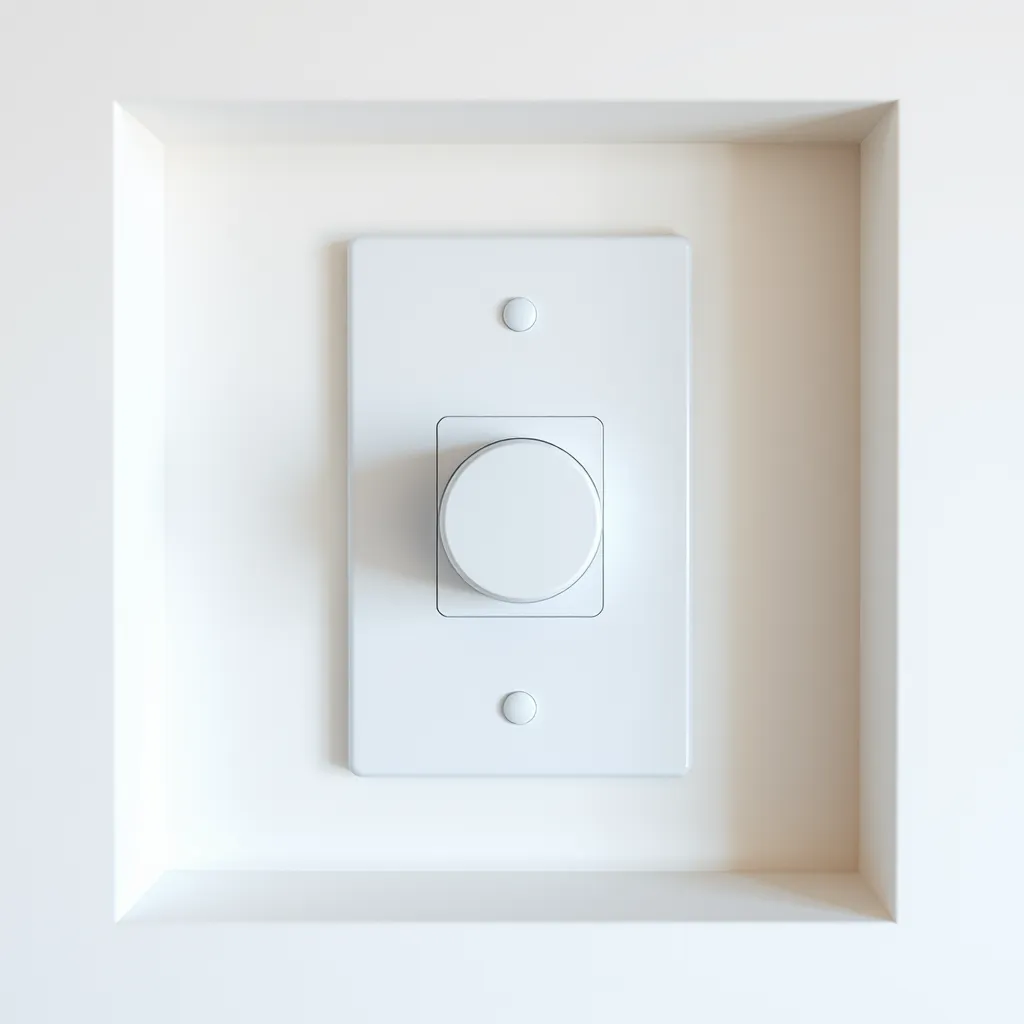
A modern sleek wall dimmer switch with a slider and a toggle button

One of the primary reasons to hardwire is to use a high-quality wall dimmer. However, this is where most compatibility issues arise. Not all LED drivers "talk" to all dimmers. You must match the dimming technology of the driver to the switch on your wall.

TRIAC and ELV Dimming

Most residential dimmers use TRIAC (Forward Phase) or ELV (Reverse Phase) technology. These dimmers work by "chopping" the AC sine wave before it even reaches the driver. If you are using a standard Lutron or Leviton LED-rated dimmer, you must ensure your LED driver is explicitly labeled as "Phase Dimmable" or "Triac/ELV Compatible." ELV dimming is generally smoother and produces less "hum" or "buzz" than TRIAC.

0-10V Dimming

Used primarily in commercial spaces or high-end smart homes, 0-10V dimming uses a separate pair of low-voltage wires to send a signal to the driver telling it how much to dim. This provides the widest dimming range (down to 1%) without any flickering. This requires a 0-10V compatible driver and a specific 0-10V dimmer switch, which usually requires a 4-wire run (two for power, two for the signal).

Managing Voltage Drop for Long Runs

In a hardwired system, you might be tempted to run 50 feet of LED strip off a single driver. This leads to voltage drop. As electricity travels through the thin copper of the LED strip, it encounters resistance, which turns some of the energy into heat. By the time the electricity reaches the end of the strip, the voltage has dropped, resulting in dimmer lights.

How to Prevent Voltage Drop

  • Center-Feed the Power: Instead of connecting power to one end of a 30-foot run, connect the driver to the middle. This effectively cuts the distance the electricity has to travel in half.

  • Parallel Wiring: If you have multiple shelves, do not "daisy chain" them (connecting the end of one to the start of the next). Instead, run a separate "home run" wire from the driver to each individual strip.

  • Use 24V Systems: As mentioned, 24V is significantly more resistant to voltage drop than 12V.

Safety and Code Compliance
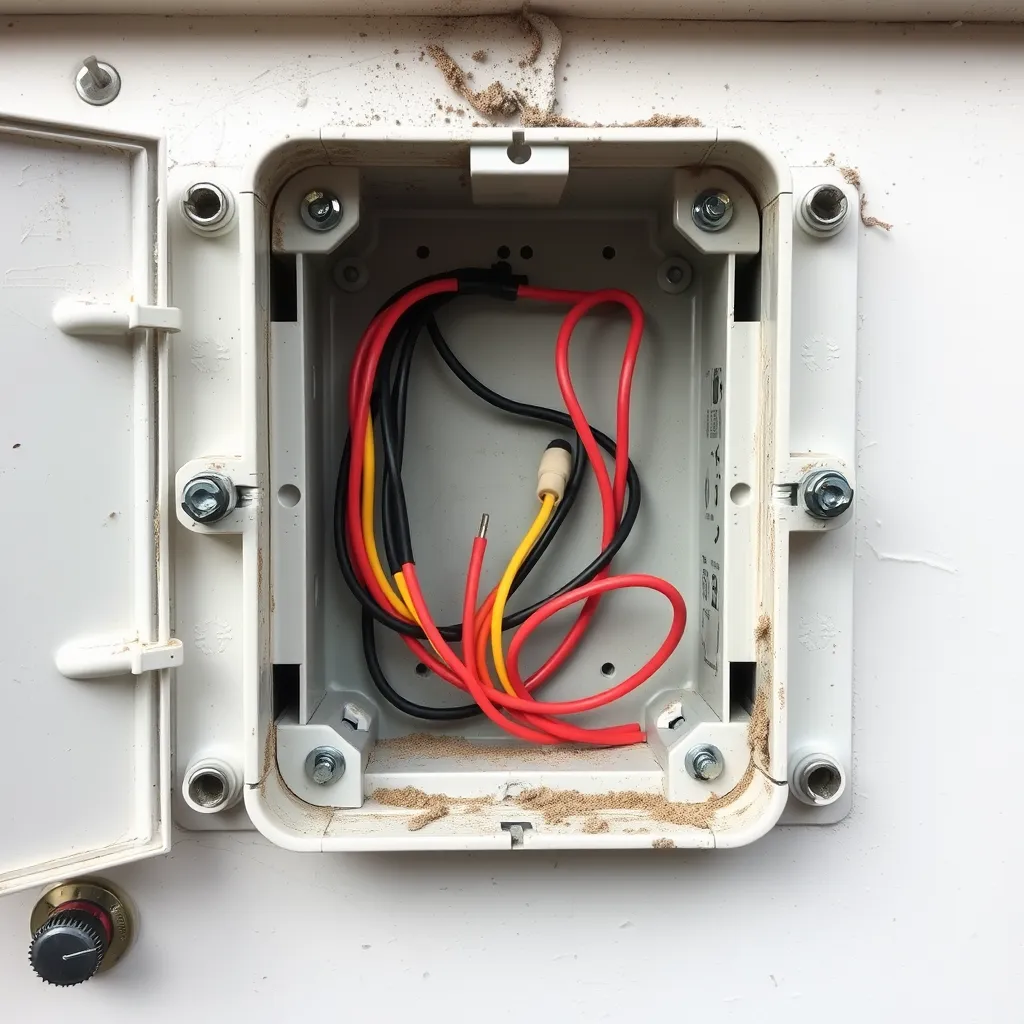
An open electrical junction box showing neatly organized wires connected with wire nuts

When you hardwire LED strip lights, the installation becomes a permanent part of the building's electrical system. This means it must adhere to the National Electrical Code (NEC). Failure to follow these rules can result in failed inspections or, worse, fire hazards.

Class 2 Power Sources

Most LED drivers are "Class 2" rated. This is a safety designation meaning the driver is designed to limit the risk of electric shock and fire. To maintain this rating, you must ensure your low-voltage wiring (the DC side) is kept separate from the high-voltage wiring (the AC side). Never run 120V wires and 12V/24V wires through the same conduit or junction box opening unless there is a physical barrier between them.

Accessibility Requirements

The NEC requires that all "transformers and power supplies" (drivers) remain accessible. You cannot bury an LED driver behind a finished drywall ceiling or wall. It must be in a location where it can be inspected or replaced without damaging the structure of the building. Standard locations include:

  • Inside a cabinet (with a removable cover or in plain sight).

  • In a drop ceiling or attic space.

  • Inside a recessed "media box" behind a TV.

Heat Dissipation

LEDs and their drivers are efficient, but they still produce heat. If a driver is placed in a tiny, unventilated box, it will overheat and shut down (or fail prematurely). Ensure there is at least a few inches of air space around the driver. If you are mounting the LED strips themselves in a high-power application (over 4 watts per foot), consider mounting them inside an aluminum channel. The aluminum acts as a heat sink, pulling heat away from the LED chips and extending their life.

Final Testing and Troubleshooting

Once the wiring is complete, it is time for the "smoke test." Turn the breaker back on and flip the switch. If the lights do not turn on, or if they behave strangely, check the following:

  • Flickering: This is usually a compatibility issue between the dimmer and the driver. Ensure both are rated for the same dimming protocol (e.g., both are ELV).

  • Partial Illumination: If only the first few feet of the strip light up, you likely have a poor connection at a solderless connector or a short circuit where the strip was cut.

  • Dimming at the End: This is the classic sign of voltage drop. Check your wire gauge or consider a 24V upgrade.

  • Delayed Start: Many high-quality drivers have a "soft start" feature that takes about half a second to turn on. This is normal and protects the LEDs from power surges.

Conclusion:

Hardwiring LED strip lights delivers a clean, professional, switch-controlled installation that plug-and-play kits simply can't match. Success hinges on getting the fundamentals right: select the correct voltage (24V for runs over 16 feet), size your driver using the 80% rule, and keep high-voltage AC wiring fully separated from low-voltage DC for safety and code compliance. Match your dimmer technology to your driver to avoid flickering and buzzing, and combat voltage drop with center-feeding, parallel wiring, or a 24V system. Always follow the NEC, keep drivers accessible, and ensure proper heat dissipation. Done correctly, your system will run cool and last its full 50,000-hour rating.

Frequently Asked Questions

Q1: Can I hide the LED driver inside a wall?

A: No. Per the National Electrical Code (NEC), all electrical drivers and transformers must remain accessible for maintenance and inspection. You can mount it in a cabinet, an attic, or a closet, but you cannot seal it behind drywall. If you must put it in a wall, use an access panel that can be opened without tools or by removing a few screws.

Q2: What gauge wire should I use for the low-voltage side?

A: For most residential runs under 20 feet, 18 AWG is sufficient. For longer runs (20-50 feet) or high-wattage strips, 16 AWG or even 14 AWG may be required to prevent voltage drop. Always use wire rated for "in-wall" use (CL2 or CL3 rating) if you are running the wire through wall cavities.

Q3: Can I use one driver for multiple separate LED strips?

A: Yes, as long as the total wattage of all strips combined does not exceed 80% of the driver's rated capacity. It is best to wire these strips in "parallel"-meaning each strip has its own set of wires going back to the driver-rather than connecting them end-to-end in a "series."

Q4: Do I need to ground the LED driver?

A: If the driver has a metal housing or a green/bare copper ground wire, yes, it must be grounded to your home's grounding system. This provides a safe path for electricity in the event of a fault and helps reduce electromagnetic interference (EMI) that can cause buzzing in audio equipment or flickering in the lights.
Related Articles

More guides in this category

How To Get LED Lights To Stick To Wall
Installation

How To Get LED Lights To Stick To Wall

The frustration of finding a pile of tangled LED strips on the floor a few days after installation is a common experience for many DIY enthusiasts. While most flexible light strips come with a pre-applied adhesive backing, the factory tape is often the bare minimum required for temporary placement. Achieving a permanent, professional-grade bond requires an understanding of surface tension, adhesive chemistry, and mechanical reinforcement. Most consumer-grade light strips utilize a pressure-sensitive adhesive (PSA). Unlike liquid glues that dry and harden, PSAs remain "tacky" and rely on physical pressure to create a bond with the microscopic pores of a surface. When these lights fail, it is rarely because the glue "dried out." Instead, it is usually due to surface contamination, improper curing, or environmental factors like heat and gravity overcoming the adhesive's shear strength. The Science Behind Adhesive Failure To ensure your lighting stays in place, you must first identify the forces working against it. Gravity is the most obvious culprit, but several invisible factors contribute to a failing installation. Surface Energy: Different materials have different "surface energy." Glass and metal have high surface energy, meaning the adhesive spreads and bonds easily. Plastics and certain "scrubbable" paints have low surface energy, causing the adhesive to bead up rather than stick. Outgassing: New paint can release gases for up to 30 days after application. These gases can chemically break down the adhesive bond from behind, causing the strip to peel away even if the surface feels dry to the touch. Thermal Cycling: LED chips generate heat. While 12V or 24V strips are efficient, the circuit board (PCB) still warms up. This heat softens the adhesive, making it more prone to "creep"-a slow sliding motion caused by the weight of the strip. Dust and Oils: Microscopic skin oils or household dust act as a barrier. If the adhesive touches dust before the wall, it bonds to the dust particles instead of the mounting surface. Preparing the Mounting Surface Preparation is 90% of the work. If the wall isn't chemically clean, no amount of pressure will make the lights stay up long-term. Avoid using standard household glass cleaners or multi-surface sprays. These products often contain silicone, waxes, or fragrances that leave a thin film behind, which acts as a release agent for the adhesive. The gold standard for preparation is 90% or higher Isopropyl Alcohol. Higher concentrations are preferred over the common 70% variety because they contain less water and evaporate faster, leaving zero residue. Wipe the area thoroughly using a lint-free microfiber cloth. If the cloth comes away gray or brown, repeat the process until the surface is pristine. Allow the area to air dry for at least five minutes before proceeding. Temperature also plays a critical role. Most adhesives require an application temperature between 60°F and 80°F (15°C - 27°C). If the wall is too cold, the adhesive becomes brittle and won't flow into the surface pores. If it is too hot, the adhesive may become too fluid to hold its own weight during the initial tack. Installation Mechanics for a Lasting Bond The "pressure" in pressure-sensitive adhesive is not a suggestion. To get LED lights to stick to wall surfaces effectively, you must apply firm, consistent force across every inch of the strip. Simply running a finger lightly over the tape is insufficient. Work in small increments of 6 to 12 inches. Peel back a small section of the paper backing, align it carefully, and press down. Use your thumb to apply heavy pressure for at least 10 to 15 seconds on each section. For the best results, use a small rubber wallpaper roller to apply even pressure across the entire length of the strip. This ensures that the adhesive is forced into the texture of the drywall. Avoid "over-stretching" the strip during installation. LED strips are flexible, but pulling them tight creates internal tension. Over time, the strip will try to contract to its original length, creating a constant pulling force on the ends that will eventually cause them to pop off the wall. Choosing the Right Method for Your Wall Type Not all walls are created equal. A strategy that works on a glass mirror will fail on a textured "orange peel" or "knockdown" drywall. Use the following table to determine if your surface requires additional help beyond the factory tape. Surface Material Texture Level Recommended Mounting Strategy Expected Longevity Glass / Mirror None Factory 3M Adhesive only Excellent Smooth Painted Drywall Low Adhesive + Alcohol Prep Good Textured Drywall Medium/High Adhesive + Mounting Clips Poor without clips Unfinished Wood Porous Staples or Screw-in Clips Very Poor (Adhesive fails) Brick / Concrete Rough Construction Adhesive or Channels Impossible with tape Powder-Coated Metal Varies VHB Tape (Very High Bond) Excellent Advanced Reinforcement Techniques When the factory adhesive isn't enough-especially on ceilings or vertical runs-you need mechanical or chemical reinforcements. These methods ensure that even if the adhesive softens due to heat, the strip remains physically tethered to the wall. Mounting Clips and Brackets Small, translucent plastic clips are the most reliable way to prevent "peel-back." These should be placed every 12 to 18 inches. They are particularly vital at the beginning and end of a run, where the weight of the power cable might pull on the strip. If you are renting and cannot use screws, look for adhesive-backed clips that use 3M Command strips, which are designed for clean removal. 3M VHB Tape If the original adhesive has already failed or been contaminated, do not try to "reactivate" it. Instead, scrape it off and apply 3M VHB (Very High Bond) tape. This is a closed-cell acrylic foam tape that is significantly thicker than the standard "tissue" tape found on cheap LEDs. It conforms to surface irregularities and creates a permanent bond that can often replace mechanical fasteners. It is commonly used in the automotive and construction industries for its sheer strength. Aluminum Channels For the most professional appearance and the longest lifespan, use aluminum LED channels (also known as extrusions). These U-shaped tracks are screwed into the wall, and the LED strip is adhered inside the track. This offers three major benefits: Heat Dissipation: The aluminum acts as a heat sink, drawing warmth away from the LEDs and the adhesive, preventing thermal degradation. Protection: A plastic diffuser cover protects the LEDs from dust and physical damage while softening the light to eliminate "hot spots." Perfect Alignment: It is much easier to mount a rigid metal track in a perfectly straight line than a floppy flexible strip. The Impact of Environment and Heat Environmental factors can significantly degrade adhesive over time. In kitchens, airborne grease can settle on the edges of the strip, slowly wicking underneath and dissolving the bond. In bathrooms, high humidity can cause moisture to penetrate the adhesive layer. If you are installing lights in these areas, look for IP65-rated strips which are coated in silicone. Note that these strips are heavier than non-waterproof ones, making mechanical clips mandatory rather than optional. Furthermore, consider the power draw of your lights. High-density strips (e.g., 120 LEDs per meter) generate significantly more heat than standard density (30 or 60 LEDs per meter). If your strip feels hot to the touch after 30 minutes of use, the adhesive is likely to fail within months unless it is mounted in an aluminum channel or reinforced with high-temperature hot glue dots every few inches. Safe Removal Without Wall Damage Inevitably, you may need to move or replace your lights. Ripping them off the wall will likely take the top layer of drywall paper or paint with it. To remove them safely, use a hair dryer on a medium-heat setting. Move the hair dryer back and forth over a 12-inch section for about 30 seconds. The heat will soften the acrylic polymers in the tape, allowing you to peel it back slowly at a 45-degree angle. If any sticky residue remains, do not scrub it with a dry cloth, as this will only spread the mess. Apply a small amount of citrus-based adhesive remover or more isopropyl alcohol to a rag and let it sit on the residue for a minute before wiping it away. For stubborn spots on non-porous surfaces, a plastic scraper or an old credit card can be used to gently lift the softened glue. Conclusion: Keeping LED strips firmly mounted is less about the lights themselves and more about respecting the chemistry and physics behind the adhesive. The factory tape on most strips is only a starting point - its success depends entirely on how well you prepare the surface, how much pressure you apply, and whether the wall material is suited to a pressure-sensitive bond in the first place. The key takeaways are straightforward: clean every mounting surface with 90%+ isopropyl alcohol, apply firm and sustained pressure during installation, and match your mounting method to your wall type. Smooth, non-porous surfaces will hold with adhesive alone, but textured drywall, ceilings, humid environments, and high-density strips almost always require reinforcement through mounting clips, VHB tape, or aluminum channels. Ultimately, a "permanent" LED installation is a system, not a single product. By combining proper surface prep, correct application technique, and the right mechanical backup for your environment, you can transform LED strips from a temporary novelty into a clean, lasting feature of your space - and avoid the all-too-familiar disappointment of finding them in a tangled heap on the floor. Frequently Asked Questions Q1: Can I use hot glue to keep my LED strips up? A: Yes, but with caution. Use a low-temperature glue gun to avoid damaging the delicate circuitry or melting the waterproof coating of the strip. Apply small dots of glue every 6 inches along the side of the strip rather than directly underneath it. This provides a "mechanical" bridge between the strip and the wall without interfering with the primary adhesive bond. Q2: How long should I wait before turning the lights on? A: Adhesive bonds improve over time. While the strip may feel secure immediately, it typically takes 24 hours for the bond to reach 90% strength and up to 72 hours for a full cure. It is best to keep the lights off during the first 24 hours to prevent heat from softening the adhesive before it has fully "wetted" the surface. Q3: Will LED strips stick to a popcorn ceiling? A: No. The surface area on a popcorn or highly textured ceiling is too small for the adhesive to grab. For these surfaces, you must use screw-in mounting clips or install a flat wooden or plastic trim piece first to provide a smooth mounting surface for the lights.

15 min readMay 20
How to Connect LED Lights to Power Supply
Installation

How to Connect LED Lights to Power Supply

Learn how to safely connect LED lights to a power supply. This guide covers voltage matching, the 80% wattage rule, polarity, wiring methods, and voltage drop fixes.

20 min readMay 19
How To Hang LED Rope Lights
Installation

How To Hang LED Rope Lights

How to hang LED rope lights with clips, adhesive hooks, cable ties, or tracks-indoor & outdoor steps for ceilings, walls, decks & railings.

15 min readMay 16