Whether you need flicker-free dimming for recessed kitchen lights, smooth brightness control in a nursery, or voice-activated scene lighting across your entire home, the right LED dimmer switch makes all the difference. We spent weeks researching and comparing the top-rated LED dimmer switches on the market - evaluating dimming performance, LED compatibility, installation flexibility, and real-world value - so you can pick the one that fits your home and budget.
Dimmer | Best For | Type | LED Load | Neutral | Price | Links |
|---|---|---|---|---|---|---|
Lutron Caseta Wireless | Smart Homes | Smart (Wi-Fi/Voice) | 150W | Not Required | ~$65 | |
ELEGRP Digital Slide Dimmer | Budget Manual | Manual Slide | 300W | Not Required | ~$13 | |
Lutron Maestro LED+ | Premium Manual | Digital Tap/Rocker | 150W | Not Required | ~$30 | |
Leviton Decora Slide (DSL06) | High-Capacity LED | Manual Slide | 300W | Not Required | ~$26 | |
TP-Link Kasa Smart (HS220) | Budget Smart | Smart (Wi-Fi/Voice) | 150W | Required | ~$17 |
Lutron Caseta Original Smart Dimmer Switch
Pick #1 - Best Smart Dimmer for LED Lights
150W LED | 600W Incandescent | Single-Pole/3-Way | No Neutral Required | Alexa, HomeKit, Google
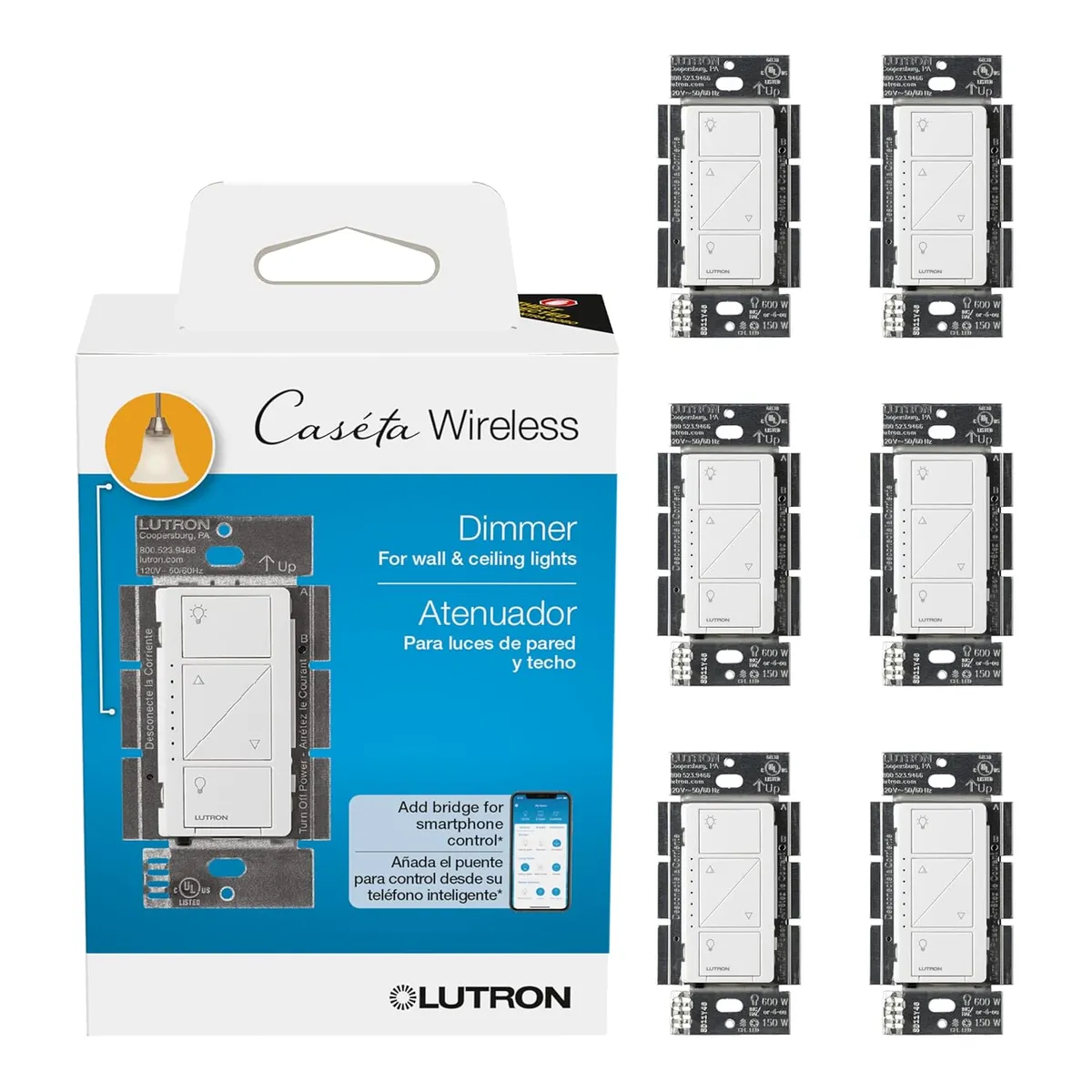
The Lutron Caseta is the go-to choice for homeowners who want smart dimming with the broadest LED bulb compatibility on the market. Lutron publishes a searchable database of over 1,000 confirmed compatible LED products, and dimming is smooth and flicker-free from 100% down to 1% with adjustable low-end and high-end trim settings that let you fine-tune the range for your specific bulbs. It connects with more leading smart home platforms - including Amazon Alexa, Apple HomeKit, Google Assistant, Samsung SmartThings, and Sonos - than any other smart dimmer brand.
The system uses Lutron's proprietary Clear Connect RF protocol instead of Wi-Fi, which means it does not slow down or interfere with your home network and delivers more reliable connectivity than Wi-Fi or Zigbee in most homes. A Lutron Smart Bridge ($50, sold separately) is required for app control, voice commands, scheduling, geofencing, and Smart Away mode. One Caseta dimmer can control multiple bulbs on the same circuit, so you can make an entire room of recessed lights smart with a single switch. The included Pico remote can be wall-mounted as a secondary control point without running new wires, effectively creating a wireless 3-way setup.
Why It's Famous: Unmatched Ecosystem Integration
No other dimmer on this list connects with as many smart home platforms and devices as the Caseta. For homeowners who already own Alexa speakers, a Ring doorbell, or an Apple HomePod, this dimmer drops right into the same ecosystem and gives you voice control, automated schedules, geofencing that turns lights on when you arrive home, and Smart Away mode that randomly toggles lights while you are on vacation. That level of automation is impossible with any manual dimmer at any price.
The trade-off is cost. At roughly $65 per switch plus $50 for the Smart Bridge, the upfront investment is significantly higher than a manual dimmer. However, the bridge supports up to 75 Caseta devices, so the per-switch cost decreases substantially as you add more. No neutral wire is required, making it compatible with older homes where neutral wires are not present at the switch box. Installation takes about 15 minutes and requires only a screwdriver.
Pros | Cons |
|---|---|
Broadest LED compatibility - 1,000+ tested bulb-dimmer combinations | Requires Lutron Smart Bridge ($50 separate purchase) for smart features |
Works with Alexa, HomeKit, Google, SmartThings, and Sonos | Most expensive dimmer on this list at ~$65 per switch |
Clear Connect RF protocol - more reliable than Wi-Fi | 150W LED maximum may limit very large fixture installations |
No neutral wire required - works in homes of any age | Smart features are bridge-dependent - if bridge goes offline, only manual wall control works |
Pico remote creates wireless 3-way without new wiring |
ELEGRP Digital Slide Dimmer Switch
Pick #2 - Best Budget LED Dimmer
300W LED/CFL | 600W Incandescent | Single-Pole/3-Way | No Neutral Required | Wall Plate Included
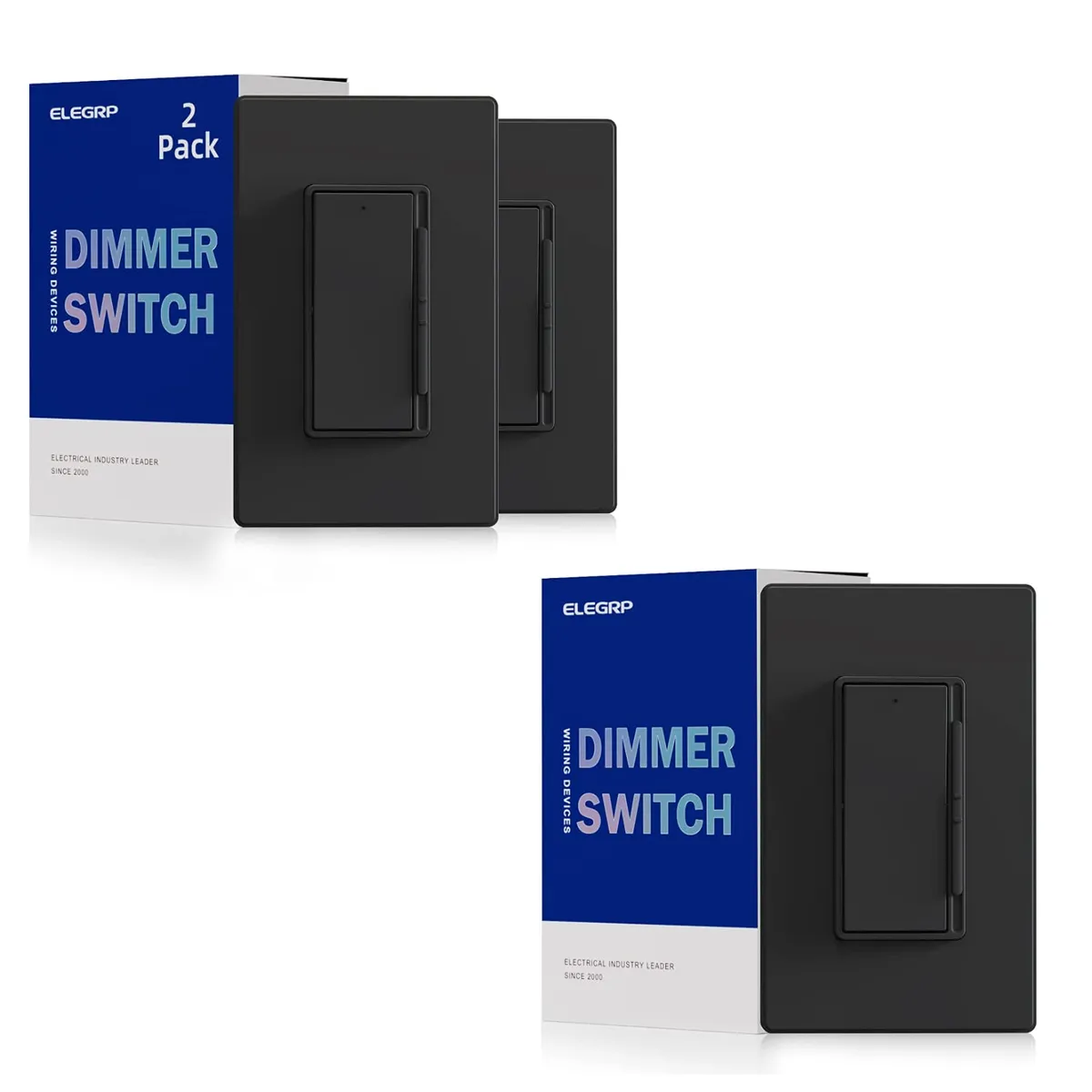
The ELEGRP Digital Slide Dimmer stands out as the best value LED dimmer you can buy. At roughly $13, it undercuts nearly every name-brand competitor while packing features typically found in dimmers costing twice as much. The MCU-integrated digital circuit control provides smooth, flicker-free dimming across 99% of dimmable LED, CFL, incandescent, and halogen bulbs - a claim backed by its 300W LED/CFL capacity, which is double the 150W rating on most competing dimmers including both Lutron models on this list.
The dimmer features a separate rocker switch for on/off and a vertical slide bar for full-range dimming control. A fade-on function gradually brightens the light when you turn it on, reducing inrush current and helping your eyes adjust to the new brightness level naturally. This also extends the lifespan of both the bulbs and the dimmer itself. An optional locator light glows when the dimmer is off so you can find it in the dark. The ultra-slim profile fits easily into standard electrical boxes, no neutral wire is required, and a matching wall plate is included in the box.
Why It's Famous: Digital Performance at an Analog Price
For homeowners who want a simple, reliable dimmer without smart features or premium pricing, the ELEGRP hits a sweet spot that is hard to beat. The 300W LED capacity means you can load it with up to thirty 10W LED bulbs on a single circuit - enough for virtually any residential room including large open-plan kitchens with extensive recessed lighting. Most 150W-rated dimmers top out at fifteen bulbs on the same circuit, which can be limiting for larger installations.
The adjustable initial brightness controller lets you set the minimum light level for your specific LED bulbs, which eliminates the flickering and premature dropout that cheaper analog dimmers cause at low dimming levels. Installation is identical to any standard switch swap - turn off the breaker, connect the wires, and you are done in 15 minutes. The main limitation is the lack of any smart features - no app, no voice control, no scheduling. But at $13 with a wall plate included, that trade-off is easy to accept for single-room installs or rental properties.
Pros | Cons |
|---|---|
300W LED capacity - double most competitors | No smart home, Wi-Fi, or voice control integration |
MCU digital circuit for smooth, flicker-free dimming | Newer brand with fewer long-term track record reviews than Lutron or Leviton |
Fade-on function extends bulb and dimmer lifespan | Requires manual adjustment of minimum brightness for optimal LED performance |
No neutral wire required - works in older homes | No dusk-to-dawn or scheduling features |
Lowest price on this list at ~$13 with wall plate included |
Lutron Maestro LED+ Dimmer Switch
Pick #3 - Best Premium Manual Dimmer
150W LED | 600W Incandescent | Single-Pole/Multi-Location | No Neutral Required | LED Level Indicator
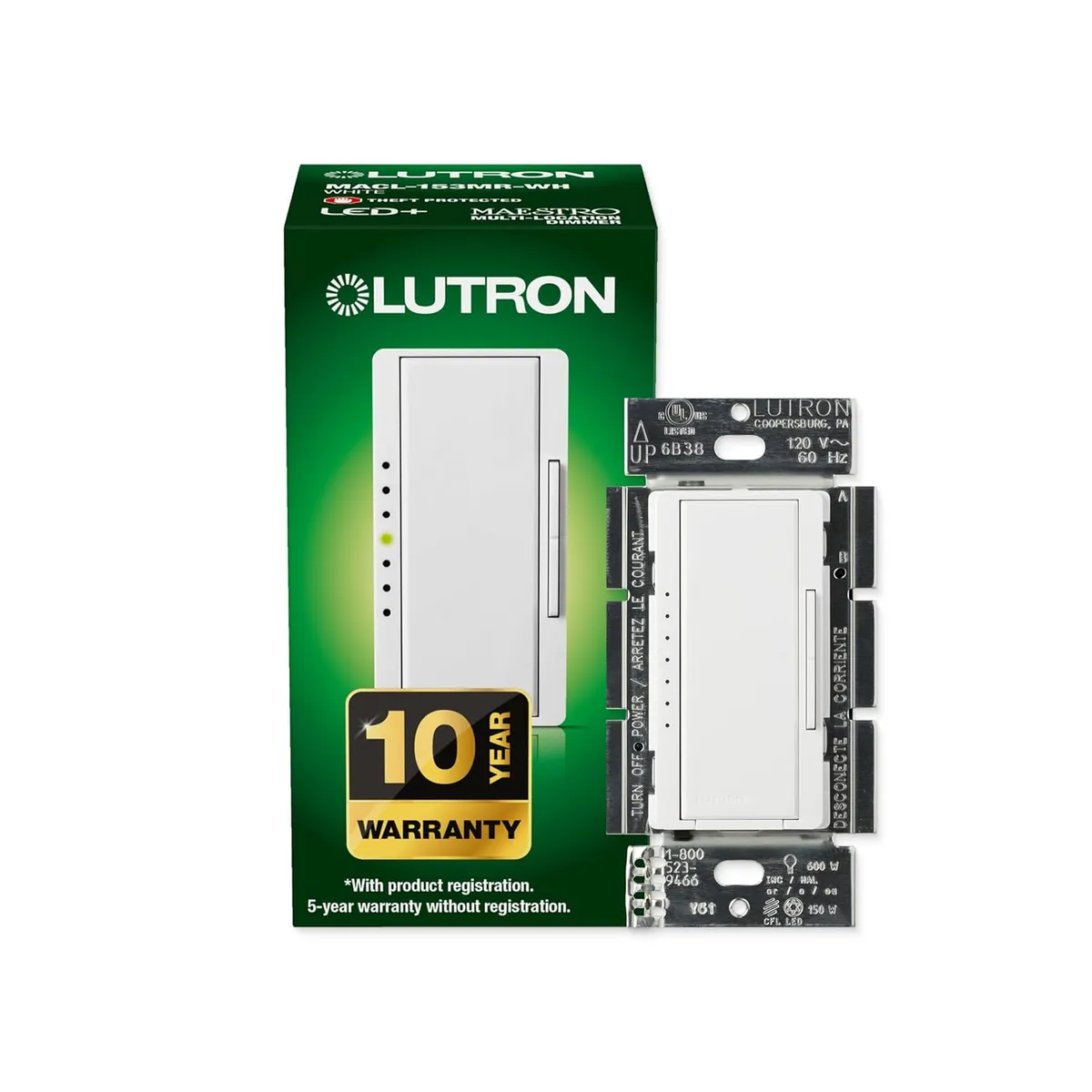
The Lutron Maestro LED+ is the first digital dimmer designed to be compatible with all of today's bulb types - dimmable LED, halogen, and incandescent. Unlike traditional slide dimmers, the Maestro uses a tap-to-activate rocker with a separate side rocker for dimming. Tap the large paddle to turn lights on to your preset favorite level or off, then press and hold the dimming rocker to adjust brightness up or down. An illuminated LED light bar on the left side of the switch displays your current brightness level and glows softly in the dark as a locator light.
What sets the Maestro apart from simpler dimmers is its programmable feature set. You can customize the delayed fade-to-off timing so lights gradually dim after you turn them off - giving you time to leave a room or get into bed before it goes dark. You can set a preset light level that the switch returns to every time you tap it on, adjust low-end and high-end trim to optimize the dimming range for your specific bulbs, and enable or disable the LED indicator lights. The Maestro supports multi-location dimming for up to 10 locations when paired with Maestro companion dimmers, making it ideal for large rooms with multiple entry points.
Why It's Famous: Professional-Grade Dimming Without Smart Complexity
The Maestro is the dimmer that electricians and lighting designers recommend when homeowners want the best possible dimming performance without the cost, complexity, or reliability concerns of a smart system. Lutron's LED+ Advanced Technology is tested on thousands of bulbs across dozens of brands, and the programmable trim settings mean you can dial in perfect performance even with finicky LED bulbs that flicker or drop out on lesser dimmers. The delayed fade-to-off is a genuinely useful feature that most competing manual dimmers do not offer.
At roughly $30, the Maestro sits in the premium tier for manual dimmers, but the build quality, feature set, and Lutron's industry-leading reputation justify the price. No neutral wire is required, so it works in older homes, and the 15-minute installation is straightforward. The main trade-off compared to the Caseta is the lack of app control, voice commands, and remote scheduling. But for homeowners who prefer physical switches and do not want another device on their network, the Maestro is the best manual dimmer money can buy.
Pros | Cons |
|---|---|
Programmable delayed fade-to-off, preset levels, and trim settings | No Wi-Fi, app control, or voice assistant integration |
LED light bar displays current brightness and acts as locator | 150W LED maximum limits large multi-bulb installations |
Multi-location dimming up to 10 locations with companion dimmers | Multi-location setup requires separate companion dimmers (~$20 each) |
LED+ technology tested on 1,000s of bulbs for flicker-free performance | Premium price at ~$30 compared to budget alternatives |
No neutral wire required - installs in 15 minutes |
Leviton Decora Slide Dimmer (DSL06)
Pick #4 - Best High-Capacity LED Dimmer
300W LED/CFL | 600W Incandescent | Single-Pole/3-Way | No Neutral Required | 3 Faceplates Included
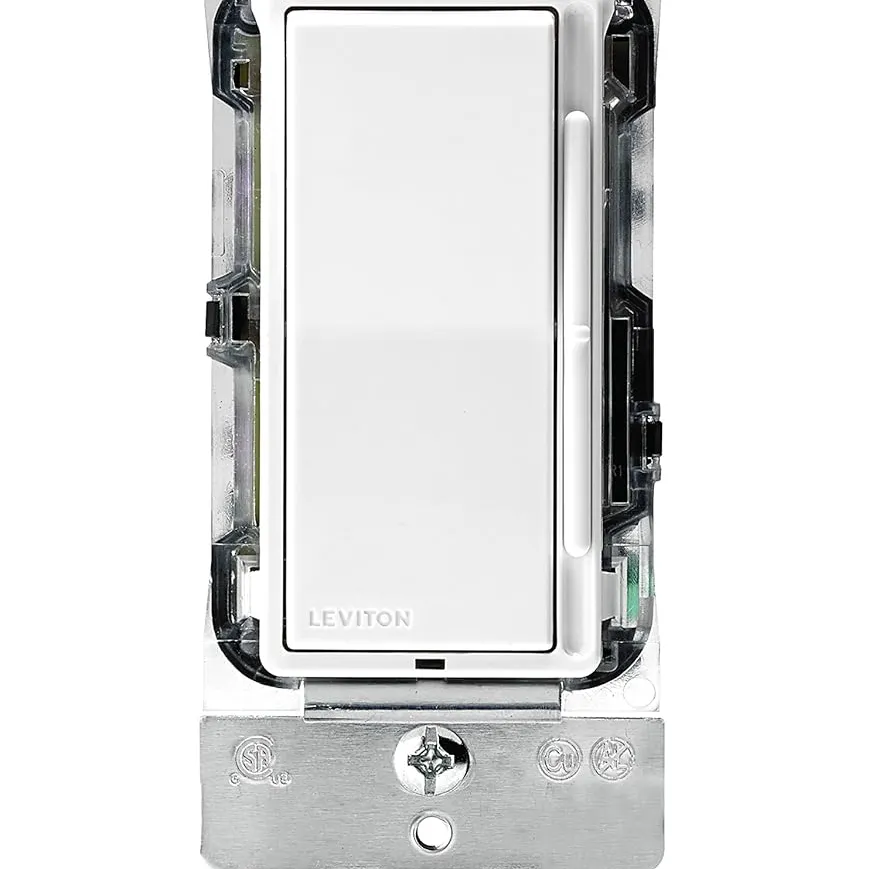
The Leviton Decora Slide Dimmer DSL06 is Leviton's flagship LED dimmer and the best choice for homeowners with high-wattage LED installations. Its 300W dimmable LED/CFL capacity is double the 150W rating on both Lutron models on this list, which means you can load it with up to thirty 10W LED bulbs or twenty 15W LED fixtures on a single circuit without derating. That makes it the go-to dimmer for kitchens with extensive recessed lighting, open-plan living areas, or any room where you need to control a large number of LED fixtures from one switch.
The Decora-style design combines a rocker switch for on/off with a contemporary full-range slender slide bar for precise brightness control. The slide bar preserves your selected brightness level when you switch off, so the light returns to exactly where you left it when you turn it back on. A built-in microprocessor offers flexibility to program the minimum and maximum dimming range for LED and CFL bulbs, which eliminates flicker and optimizes the usable range. The slim profile fits easily into standard wall boxes, and no neutral wire is required. Leviton includes three interchangeable faceplates in white, ivory, and light almond, with additional colors available separately in seven options.
Why It's Famous: 300W LED Capacity from a Trusted Brand
Leviton is one of the oldest and most trusted names in electrical wiring devices, with over 120 years of manufacturing history. The DSL06 represents their best current LED dimmer technology, and the 300W LED capacity solves a real problem that 150W dimmers create: running out of headroom. If you have twelve 12W recessed LED lights on a single circuit - a common kitchen setup - that is 144W total, which pushes a 150W dimmer to 96% of its rated capacity. The DSL06 handles that same load at just 48% capacity, providing significantly smoother dimming and a longer lifespan for both the dimmer and the bulbs.
At roughly $26, the DSL06 sits between the budget ELEGRP and the premium Maestro in price, and it earns its spot by pairing Leviton's proven reliability with the highest LED capacity of any name-brand dimmer in this price range. The three included faceplates are a nice touch that saves you from buying a separate plate to match your wall color. The main limitation is the lack of smart features and the slightly lower Amazon rating compared to the Lutron Maestro, but for a no-frills, high-capacity LED dimmer from a legacy brand, the DSL06 is hard to fault.
Pros | Cons |
|---|---|
300W LED capacity - handles large multi-bulb installations with ease | No Wi-Fi, app, or voice assistant integration |
Microprocessor-controlled adjustable min/max dimming range | No delayed fade-to-off or programmable preset levels |
Three interchangeable faceplates included (white, ivory, light almond) | 3-way installation requires a separate 3-way switch (sold separately) |
No neutral wire required - slim profile fits any wall box | Coordinating wallplate sold separately if you want screwless Decora Plus style |
Trusted Leviton brand with 120+ years in electrical devices |
TP-Link Kasa Smart Dimmer Switch (HS220)
Pick #5 - Best Budget Smart Dimmer
150W LED | Single-Pole | Neutral Wire Required | Wi-Fi | Alexa & Google | No Hub Required
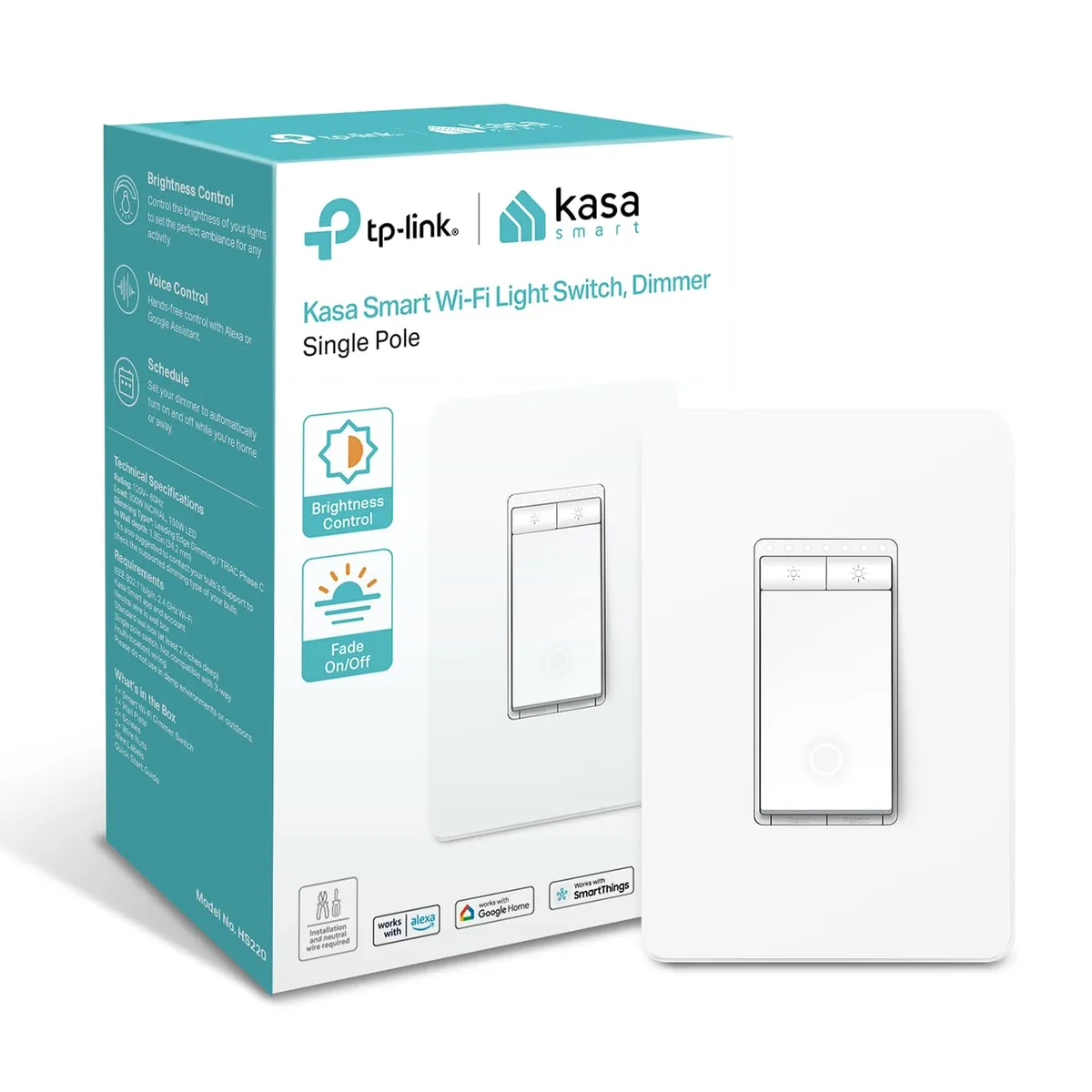
The Kasa Smart Dimmer HS220 is the most affordable way to get smart dimming with voice control and app scheduling. At roughly $17 with no hub required, it connects directly to your 2.4GHz Wi-Fi network and works immediately with Amazon Alexa and Google Assistant for hands-free brightness control. The Kasa app guides you through step-by-step installation and provides remote control from anywhere, scheduling, countdown timers, and an Away Mode that randomly toggles lights to simulate occupancy while you are on vacation.
The physical interface is a simple rocker with a dimming bar on the side. A single click turns lights on, and a double-click activates a "Gentle Off" feature that slowly fades the lights down - a thoughtful touch for bedrooms and nurseries. You can group the HS220 with other Kasa devices to control multiple switches with a single tap in the app, and create scenes that set different brightness levels across rooms for activities like movie night, dinner, or reading. With over 34,000 Amazon reviews and a 4.5-star rating, the Kasa HS220 is one of the most widely deployed smart dimmers on the market.
Why It's Famous: Smart Control for the Price of a Manual Dimmer
At $17, the Kasa HS220 costs less than many basic manual dimmers while delivering full smart home functionality. No hub or bridge is required - it talks directly to your router - which means the total cost of entry is just the switch itself. For renters, apartment dwellers, or homeowners testing smart lighting for the first time, this eliminates the $50+ bridge investment that the Lutron Caseta requires. The Kasa app is clean, reliable, and regularly updated, and the Alexa and Google integrations work without any fiddling.
The trade-off is that the HS220 requires a neutral wire at the switch box, which many older homes built before the 1980s do not have. If you open the switch box and see only two wires (plus ground) instead of three, this dimmer will not work and you should look at the Caseta or one of the manual options instead. The HS220 also only works in single-pole configurations - if you need two switches controlling the same light, Kasa sells a separate 3-way kit (KS230). Despite these limitations, for the price and feature set, the HS220 is the best smart dimmer value on the market.
Pros | Cons |
|---|---|
No hub required - connects directly to Wi-Fi | Requires neutral wire - will not work in many older homes |
Works with Alexa and Google Assistant out of the box | Single-pole only - 3-way requires separate kit (KS230) |
Gentle Off fade feature for bedrooms and nurseries | Wi-Fi dependent - if router goes down, only manual wall control works |
Scheduling, timers, Away Mode, and scene grouping via Kasa app | No Apple HomeKit support |
Cheapest smart dimmer on this list at ~$17 |
LED Dimmer Switch Buying Guide: What to Look For
Why You Need an LED-Compatible Dimmer
Standard dimmers designed for 40W-600W incandescent loads use leading-edge phase-cut technology with minimum load requirements of 40-60 watts. A typical 10W LED bulb falls far below this threshold, causing the dimmer to behave erratically - visible flicker, audible buzzing, limited dimming range, and premature LED driver wear. LED-compatible dimmers use trailing-edge technology that properly regulates the low wattage that LED bulbs draw. Upgrading to an LED-rated dimmer is the single most important step for good LED dimming performance.
LED Wattage Rating: Don't Confuse It with Incandescent Rating
A dimmer rated "600W incandescent / 150W LED" handles 150 watts of LED load - not 600W. The LED rating is always significantly lower because LED drivers present a different electrical load than simple resistive incandescent filaments. Calculate your total LED wattage on the circuit before buying. Six 12W recessed lights equal 72W, which fits a 150W-rated dimmer. But twelve of those same lights equal 144W, pushing a 150W dimmer to its limit - in that case, choose a 300W LED-rated dimmer like the ELEGRP or Leviton DSL06.
Single-Pole vs. 3-Way vs. Multi-Location
If one switch controls the light, you need single pole. If two switches control the same light (common in hallways, stairwells, and living rooms), you need a 3-way dimmer. Multi-location means three or more switches controlling the same fixture - common in large open-plan homes. Most dimmers on this list support single-pole and 3-way configurations. The Lutron Maestro supports up to 10-location dimming with companion dimmers. Smart dimmers like the Caseta can create multi-location control wirelessly using Pico remotes instead of running new 3-way wiring.
Neutral Wire: Check Before You Buy
Some smart dimmers require a neutral wire (white wire) at the switch box. Older homes built before the 1980s often do not have a neutral wire at the switch location - it was run directly to the fixture instead. The Kasa HS220 requires a neutral wire. The Lutron Caseta, ELEGRP, Lutron Maestro, and Leviton DSL06 all work without a neutral wire, making them the go-to choices for older wiring. Check the switch box before purchasing any smart dimmer.
Smart vs. Manual: Which Do You Need?
Smart dimmers add app control, voice commands, scheduling, and automation - ideal if you want lights to turn on when you arrive home, dim automatically at bedtime, or integrate with a security system. Manual dimmers provide reliable, always-on physical control with zero network dependency and no subscription fees. For bedrooms, kitchens, and living rooms where you simply want adjustable brightness, a quality manual dimmer like the Maestro or DSL06 is all you need. For whole-home automation or remote control, the Caseta or Kasa deliver the best value.
Conclusion:
Ultimately, selecting the ideal LED dimmer switch boils down to balancing your desired features with your home's existing setup and budget. Whether you prioritize seamless smart home integration, robust compatibility with a wide range of LED bulbs, or simply reliable, flicker-free manual control, there's a switch designed to meet your needs. Consider your daily routine, the specific lighting fixtures you'll be controlling, and how much automation you truly desire before making your final choice.
Remember that while advanced features like smart home connectivity and custom scene settings offer unparalleled convenience, even a well-chosen manual dimmer can dramatically enhance your living spaces by providing precise light control. Investing in a high-quality, compatible dimmer switch not only improves your lighting experience but also contributes to the longevity and optimal performance of your LED bulbs, ensuring you enjoy beautiful, adaptable illumination for years to come.
Frequently Asked Questions
Q1: Can I use a regular dimmer with LED lights?
A: Technically yes, but you will likely experience flickering, buzzing, and limited dimming range. Standard dimmers designed for incandescent bulbs use leading-edge phase-cut technology with minimum load requirements of 40-60W. A 10W LED falls far below this threshold, causing erratic behavior. Upgrading to an LED-rated dimmer ($13-$65) solves these problems permanently and is the single most important step for good LED dimming performance.
Q2: Why does my LED dimmer buzz?
A: Buzzing from the dimmer switch itself is caused by electromagnetic vibration in the dimmer's internal components. This is more noticeable with certain LED bulb combinations. Try a different LED bulb brand first - compatibility varies significantly between manufacturers. If the buzz persists, the dimmer may be loaded near its minimum threshold. Adding one more LED bulb to the circuit can sometimes eliminate it. Premium dimmers like the Lutron Caseta and Maestro have better noise suppression than budget models.
Q3: How many LED bulbs can one dimmer handle?
A: Divide the dimmer's LED wattage rating by the wattage of each bulb. A 150W LED-rated dimmer handles fifteen 10W LED bulbs (150 ÷ 10 = 15). A 300W-rated dimmer handles thirty. In practice, staying at 80% of the rated capacity provides the smoothest dimming. For large installations with many fixtures, choose a 300W LED-rated dimmer or use multiple dimmers on separate circuits.