Links below are affiliate links. If you buy through them, we may earn a small commission at no extra cost to you. We only recommend products we believe deliver real value.
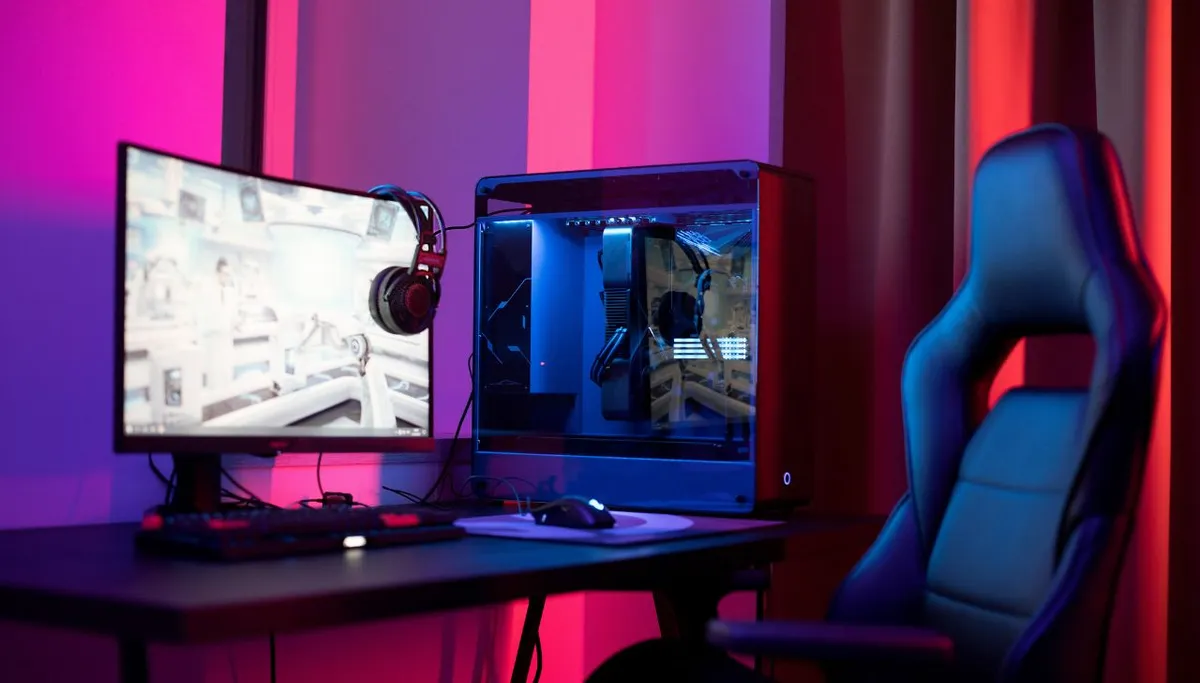
Whether you are building your first battle station, framing a streaming background, or just want your setup to look incredible on camera, the right LED lights make all the difference. We spent weeks researching and comparing the top-rated gaming-room LED lights on the market - evaluating brightness, color effects, music and game sync, smart-home control, and real-world value - so you can pick the ones that fit your space and budget.
A great gaming room uses layers of light, not one fixture: a strip around the room, light bars behind the monitor for bias lighting, and a wall feature like hexagons or bars as the centerpiece. Here are the 5 best, each winning a different job.
Top Picks at a Glance
Award | Product | Type | Price | Rating | Buy |
|---|---|---|---|---|---|
Best overall (room perimeter) | Govee RGBIC LED Strip Lights | RGBIC strip | ~$13 | 4.4 (25,357) | |
Best for the monitor (bias light) | Govee Gaming Light Bars | Desk light bars | ~$60 | 4.7 (1,810) | |
Best wall feature (premium) | Nanoleaf Shapes Hexagons (7) | Modular panels | ~$135 | 4.3 (1,813) | |
Best for framing the setup | Nanoleaf Lines (9 bars) | Modular light bars | ~$130 | 4.3 (229) | |
Best for desk edge / shapes | Govee RGBIC Neon Rope Light | Flexible neon rope | ~$75 | 4.5 (995) |
Prices are approximate and change often - check the live price on each listing.
Quick Comparison
Light | Best For | Sync | Smart Control | Price | Rating |
|---|---|---|---|---|---|
Govee RGBIC Strip | Room perimeter | Music + app | Bluetooth app (no voice) | ~$13 | 4.4 (25,357) |
Govee Gaming Light Bars | Monitor bias light | Music + Razer | Alexa, Google | ~$60 | 4.7 (1,810) |
Nanoleaf Shapes Hexagons | Wall centerpiece | Music + screen | HomeKit, Alexa, Google | ~$135 | 4.3 (1,813) |
Nanoleaf Lines | Framing the setup | Music + screen | HomeKit, Alexa, Google | ~$130 | 4.3 (229) |
Govee Neon Rope | Desk edge / shapes | Music + Razer | Alexa, Google | ~$75 | 4.5 (995) |
1. Govee RGBIC LED Strip Lights - Best Overall (Room Perimeter)
RGBIC segmented color · 16 million colors · 11 music modes · 64+ scenes · Bluetooth app control · 4.4 stars (25,357 reviews) · Amazon's Choice
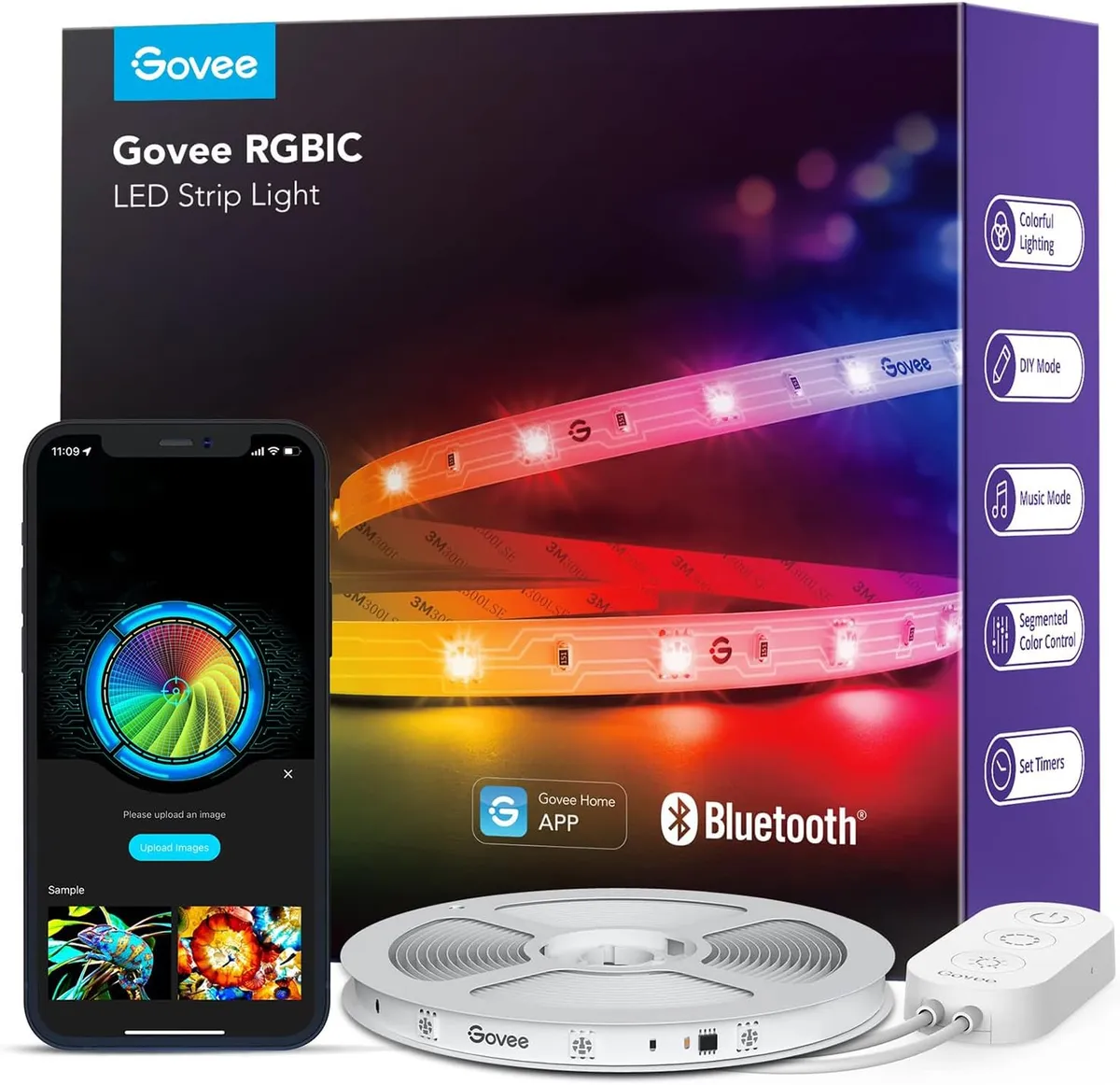
Every gaming room starts here. The Govee RGBIC strip is the budget backbone that runs around your ceiling, desk, or wall to fill the whole space with color - and at around $13 for 16.4ft, nothing covers more room for less. RGBIC is the key feature: instead of one color across the whole strip, it splits into segments that each show a different color at once, so you get flowing rainbows and multi-zone effects basic RGB strips cannot do.
The built-in mic syncs the lights to your music in real time across 11 music modes, and the Govee Home app offers 16 million colors and 64+ scenes. With over 25,000 reviews it is one of the most proven strips on the market. Note it connects by Bluetooth only - great for a single room, but it does not support Alexa or Google voice control.
Pros | Cons |
|---|---|
Best value for covering a whole room (~$13) | Bluetooth only - no Alexa/Google voice |
RGBIC segmented, flowing color effects | Range limited to about one room |
Music sync + 64+ scenes | Strips alone look flat - pair with a wall feature |
Huge proven review base (25,357) |
Best for: The base layer of any gaming room - perimeter, ceiling, or behind the desk.
2. Govee Gaming Light Bars - Best for the Monitor (Bias Lighting)
RGBIC · smart desktop dial · 60+ scene modes · music sync (speakers + headphones) · Razer Chroma · Alexa & Google · 4.7 stars (1,810 reviews)
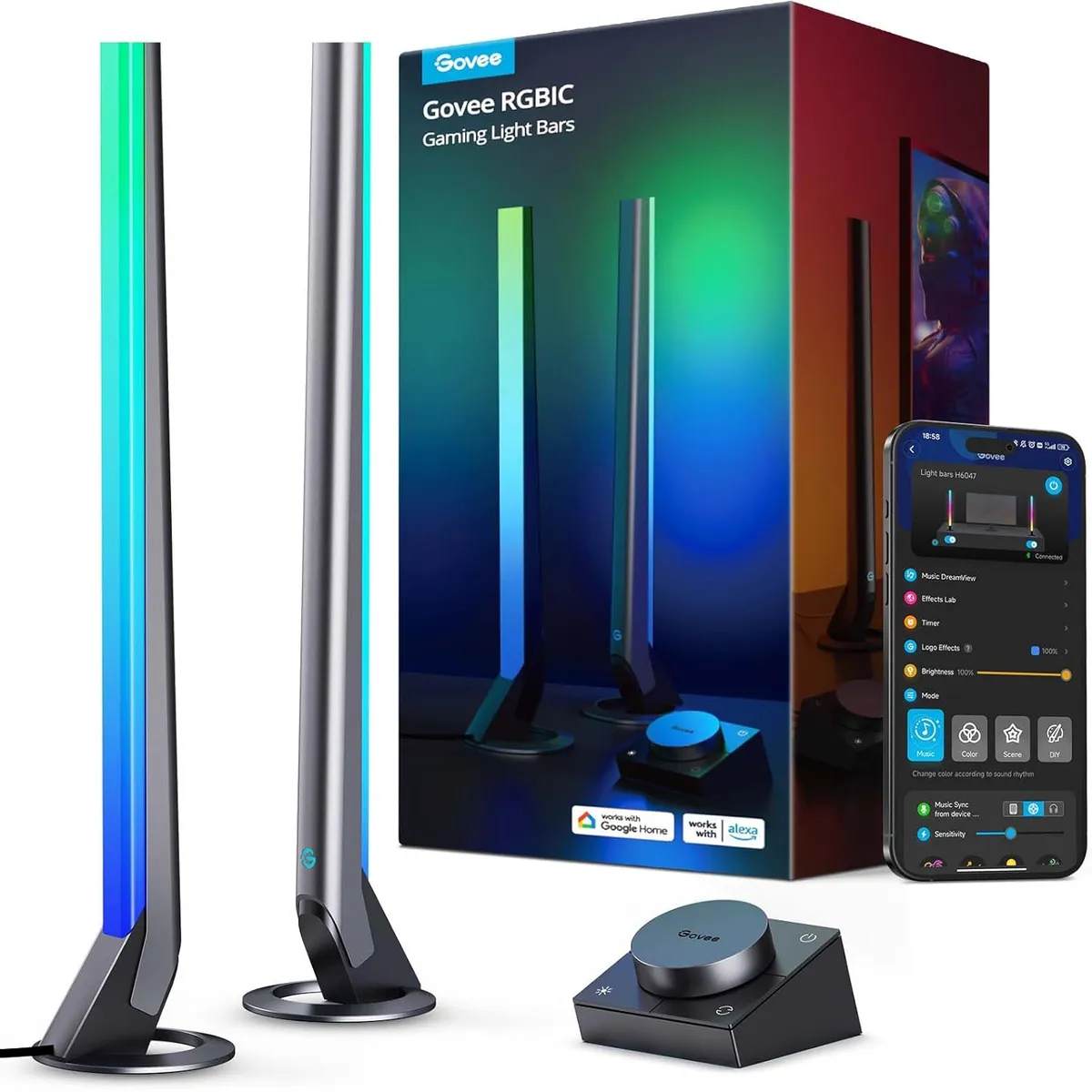
These light bars sit behind your monitor and do something your other lights cannot: bias lighting. By adding a soft glow behind a bright screen in a dark room, they cut the harsh contrast your eyes fight during long sessions, which noticeably reduces eye strain and fatigue. With a 4.7-star rating they are the highest-rated pick here, and the most practical.
They include a smart desktop dial to change brightness, color, and scenes without grabbing your phone mid-game, plus 60+ scene modes. The built-in mic reacts to audio from your headphones, not just speakers, and they support Razer Chroma (via Razer Synapse 3) to sync with your PC and gear. Note: no camera, so no on-screen color matching.
Pros | Cons |
|---|---|
Bias lighting reduces eye strain | Best for monitors under ~45 inches |
Physical dial controller - no phone needed | No screen color matching (no camera) |
Razer Chroma + reacts to headphone audio | Two bars cover a limited area |
Highest rated here (4.7), Alexa/Google |
Best for: Behind the monitor, to cut eye strain and add depth to the desk.
3. Nanoleaf Shapes Hexagons - Best Wall Feature (Premium)
7-panel Smarter Kit · 16 million colors · touch + music + screen mirror · HomeKit, Alexa, Google · expandable · 4.3 stars (1,813 reviews)
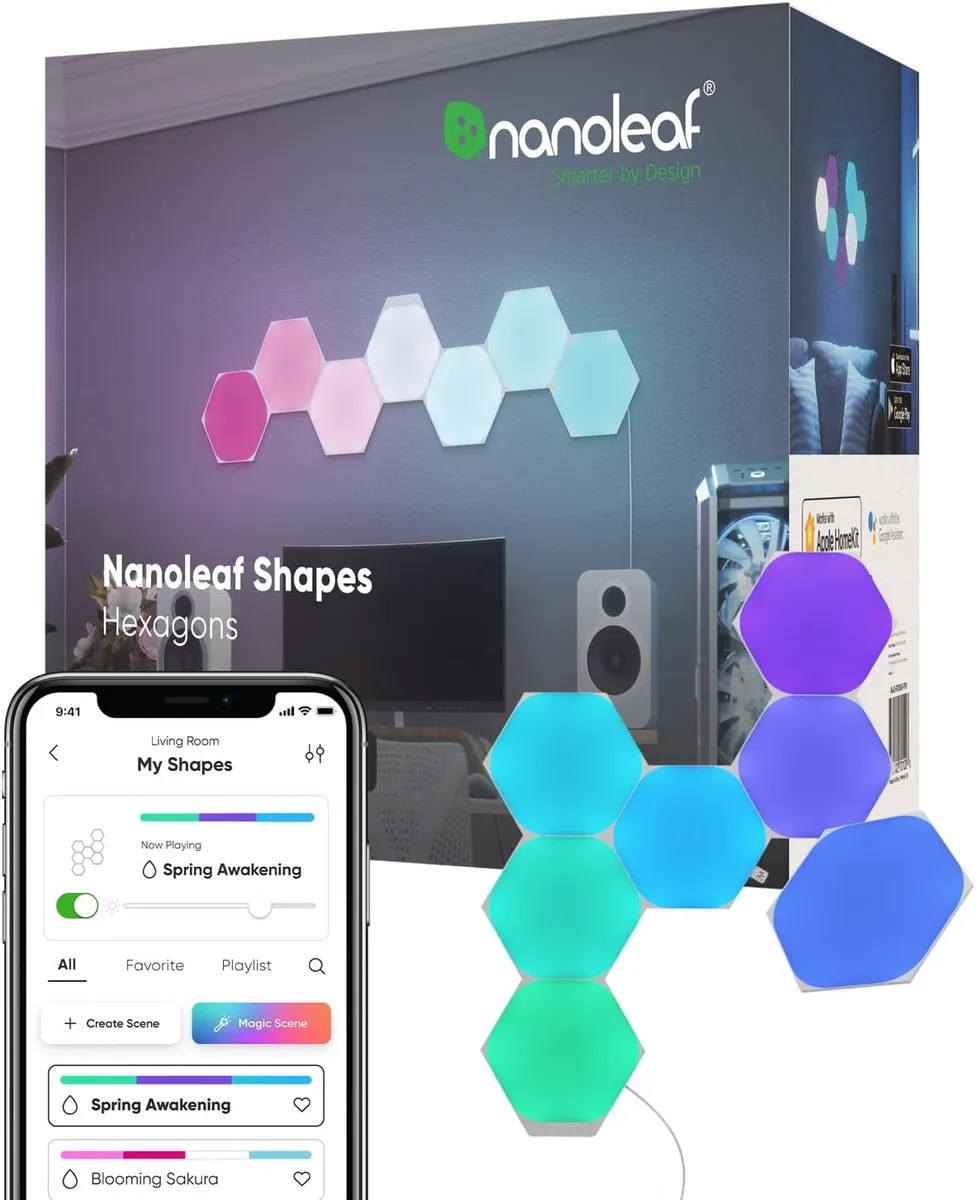
The honeycomb wall is the centerpiece that makes a gaming room look like a gaming room. Nanoleaf invented this category, and the Shapes Hexagons are the premium standard: dense, smooth diffusion and panels that click together in any layout you can dream up. The 7-panel Smarter Kit is touch-reactive, syncs to music and on-screen action, and expands as your wall grows.
For Apple users the edge is real - HomeKit integration is seamless, so you can run the panels with Siri and home automations (even a sunrise wake-up routine) that competitors need workarounds for. They also work with Alexa and Google.
Pros | Cons |
|---|---|
The iconic gaming-wall centerpiece | Premium price (~$135) |
Premium build and smooth diffusion | Strong adhesive can pull paint when removed |
Seamless Apple HomeKit support | Plan the layout before mounting |
Expandable, touch + sync reactive |
Best for: The wall centerpiece, especially for Apple-ecosystem gamers who want the best.
4. Nanoleaf Lines - Best for Framing the Setup
9-bar 60° Smarter Kit · 16M+ RGBW colors · music sync + screen mirror (Match mode) · HomeKit, Alexa, Google · 4.3 stars (229 reviews)
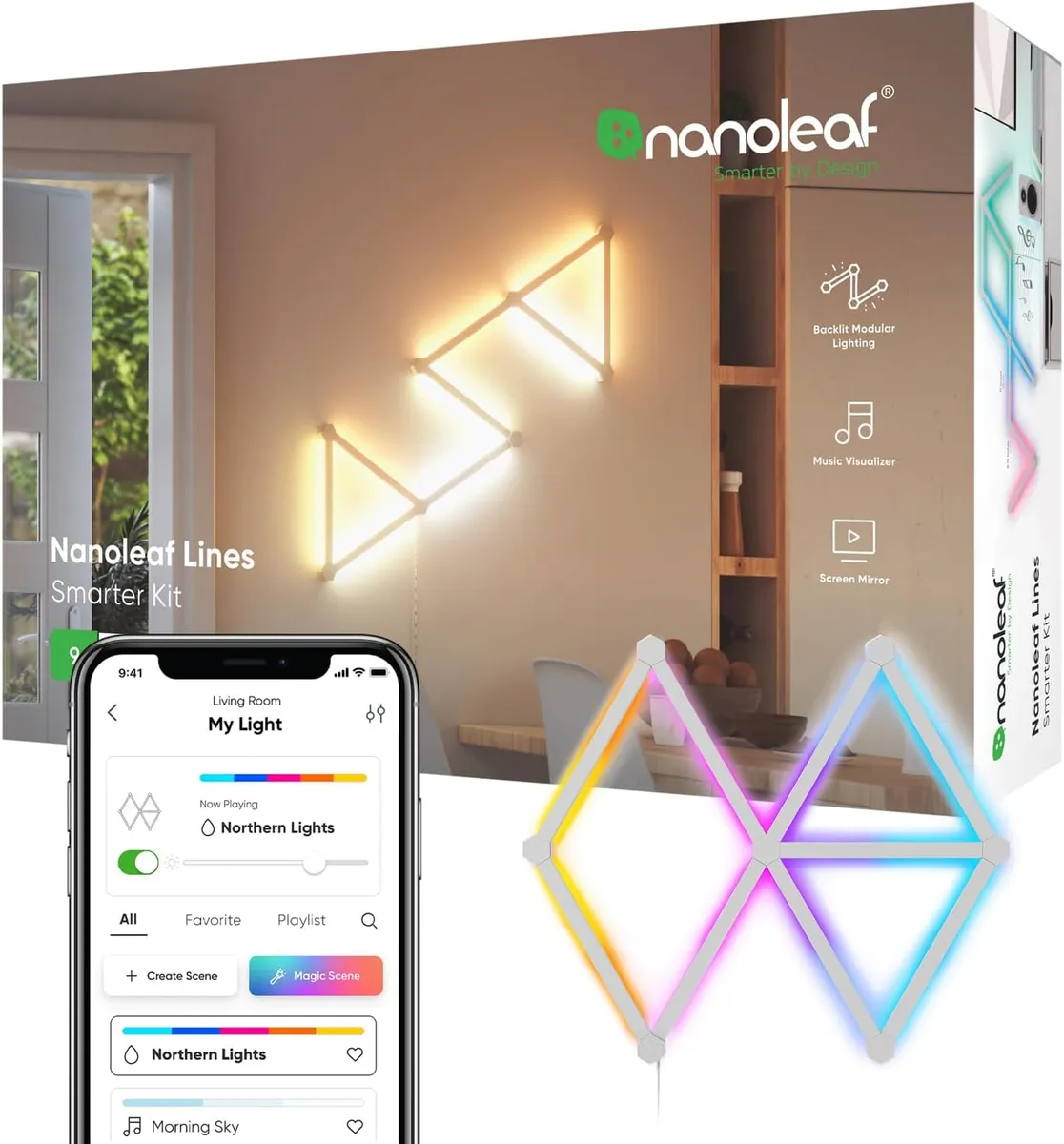
Where hexagons fill a wall, Nanoleaf Lines frame it. These backlit bars connect into geometric shapes that cast a clean glow onto the wall, perfect for outlining a monitor, desk, or streaming background with sharp lines instead of panels. It is the middle ground between a strip and a full panel wall - and it pairs perfectly with the Shapes Hexagons if you want both.
The 9-bar kit uses RGBW for richer color, supports music sync and screen mirroring (Match mode reflects on-screen colors onto the wall), and works with HomeKit, Alexa, and Google, plus a built-in controller.
Pros | Cons |
|---|---|
Clean lines to frame the setup | Premium price (~$130) |
Screen mirror (Match mode) for games/movies | Layout planning needed before mounting |
RGBW color, pairs with Nanoleaf Shapes | Smaller review base so far (229) |
Backlit glow looks great on camera |
Best for: Outlining and framing the monitor, desk, or streaming background.
5. Govee RGBIC Neon Rope Light - Best for Desk Edge / Custom Shapes
10ft neon rope · 42 controllable RGBIC segments · 252 beads · cuttable · glare-free · Razer Chroma + AI sync · Alexa & Google · 4.5 stars (995 reviews)
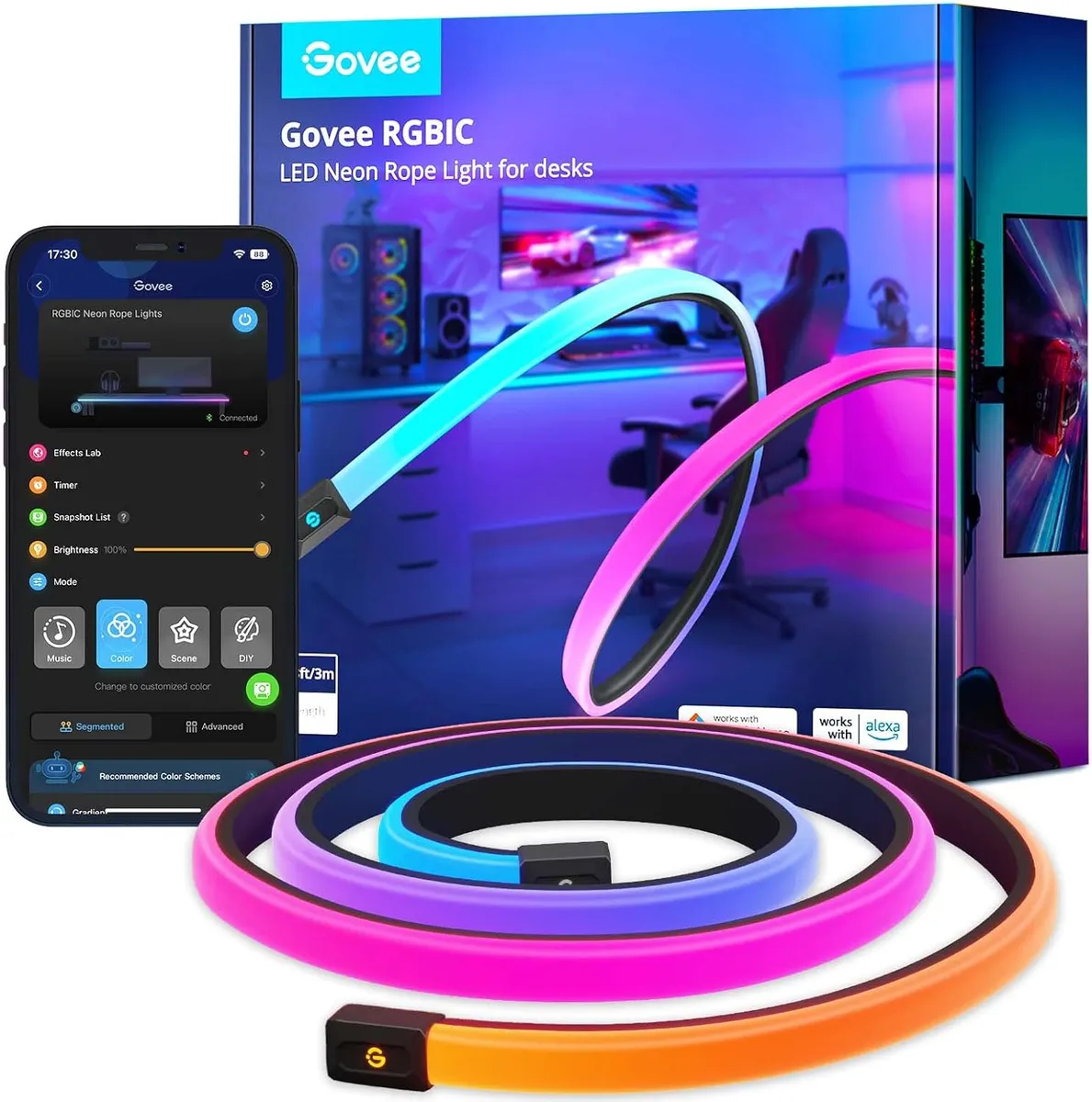
The bendable "neon" look is everywhere in gaming setups right now, and this is the easy way to get it. The soft silicone rope bends into shapes, logos, or letters, or runs cleanly along the edge of your desk - and its inverted, glare-free diffusion means no harsh dots or hot spots. With 42 controllable RGBIC segments and 252 beads, colors flow smoothly along its length, and it is cuttable at 12 points to fit your desk (usable length 7-10ft; it cannot be spliced longer).
It syncs to music and supports Razer Chroma plus Govee's AI Gaming Sync Box (sold separately), and works with Alexa and Google - giving PC gamers reactive desk lighting that ties into the rest of their gear.
Pros | Cons |
|---|---|
Trendy bendable neon look, glare-free | Lower brightness than panels |
Cuttable, 42 RGBIC segments | Cannot be spliced longer; AI box sold separately |
Razer Chroma + music sync | Pricier per foot (~$75 for 10ft) |
Alexa & Google, 64+ scenes |
Best for: Desk-edge lighting and custom neon shapes or logos.
How to Choose LED Lights for a Gaming Room
Layer your lighting. The best rooms combine a perimeter strip, monitor bias bars, and a wall feature. One light alone looks flat - layers create depth.
Use bias lighting for your eyes. Light bars or a strip behind the monitor cut screen-to-room contrast and reduce eye strain on long sessions. This is the practical reason to light a setup, not just the looks.
RGBIC over plain RGB. RGB shows one color at a time across the whole light. RGBIC splits it into segments for flowing, multi-color effects - the gaming look you actually want.
Pick your sync type. Built-in mics sync lights to music and game audio. For lights that match what is on screen, look at screen-sync (Nanoleaf Match mode, or Govee camera/HDMI kits). PC gamers should check for Razer Chroma support.
Match your ecosystem. Govee is the value champion (though some budget strips are Bluetooth-only with no voice control). Nanoleaf is the pick for Apple HomeKit and a premium look. Plan mounting first - clean the wall, lay out with tape, and know that strong adhesive can pull paint on removal.
Want more strip options for the rest of the room? See our guide to the best LED strip lights, and if you are setting up app control, how to connect LED lights to your phone.
Frequently Asked Questions
1. What LED lights are best for a gaming room?
A: Use a mix: an RGBIC strip for the room, light bars behind the monitor for bias lighting, and a wall feature like hexagons or light bars as the centerpiece. Layering beats a single light.
2. Do LED light bars behind a monitor reduce eye strain?
A: Yes. Bias lighting adds a soft glow behind the screen, which lowers the harsh contrast between a bright monitor and a dark room - noticeably reducing eye fatigue during long sessions.
3. What is the difference between RGB and RGBIC?
A: RGB shows one color at a time across the whole light. RGBIC splits the light into segments that each show a different color, giving flowing rainbows and multi-zone effects. For gaming, RGBIC is the better choice.
4. Can gaming lights sync with my games and music?
A: Yes. Most have a built-in mic for music and game-audio sync. Some also offer screen sync (matching on-screen colors) and Razer Chroma support to sync with your PC and peripherals.
5. How do I install gaming LED lights without damaging the wall?
A: Clean the wall with alcohol first, plan your layout with painter's tape, then mount. Know that strong adhesive can pull paint on removal - use removable strips or velcro where possible.
Affiliate Disclosure: This article contains affiliate links. If you purchase a product through one of these links, we may earn a small commission at no extra cost to you. We only recommend products we believe offer genuine value for a gaming setup.